













Explore this article with AI:
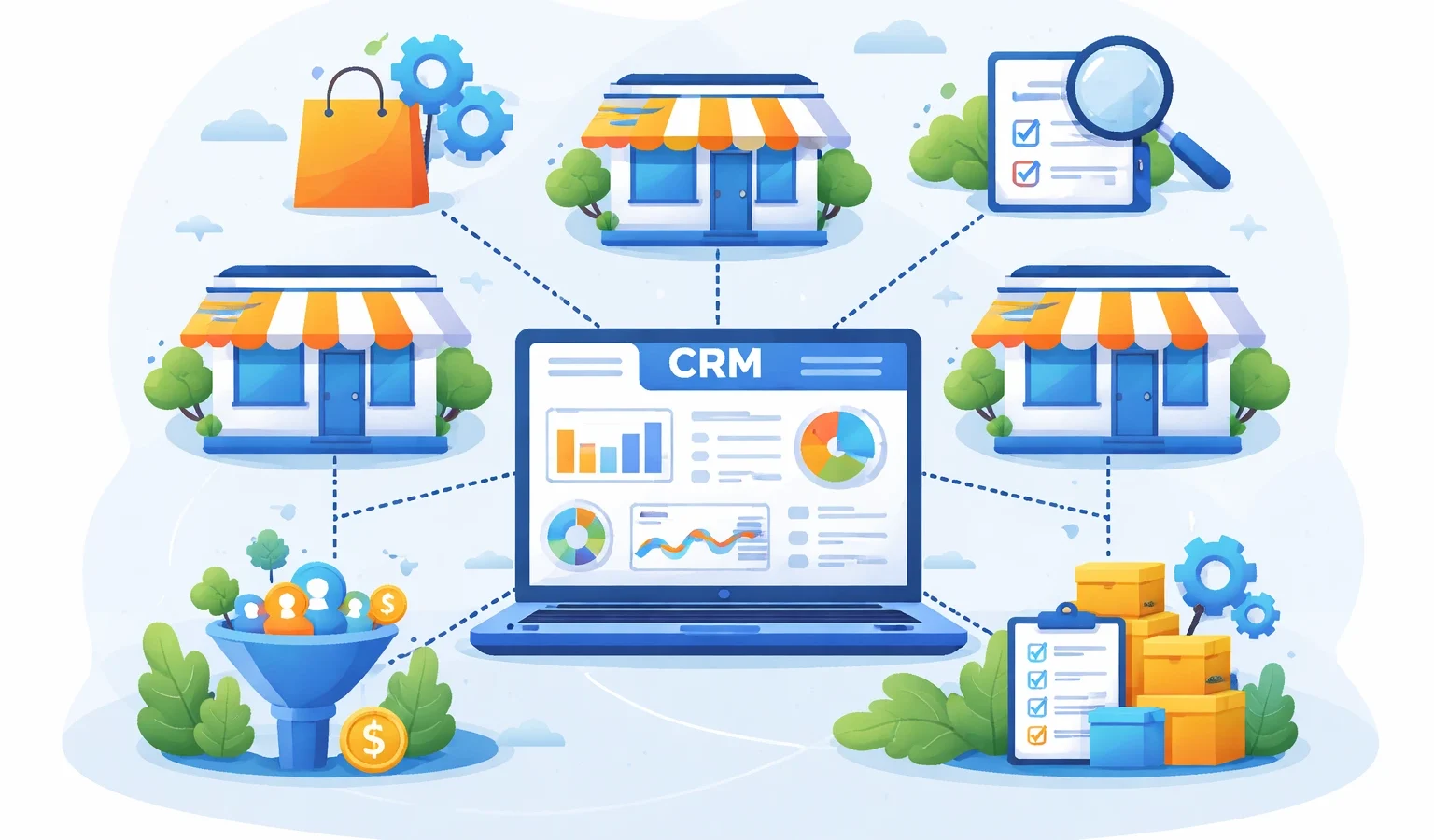
If you run a franchise, you already know the problem. A CRM for franchises has to do something most software isn’t built for: manage the franchisee relationship and the end-customer relationship at the same time, across every location, without losing data or brand consistency along the way. That’s not a sales pipeline problem. That’s an architecture problem.
A franchise with 30 locations is technically running 30 separate businesses that all need to look, sell, and report like one. Leads come in at the location level. Performance rolls up to regional. Brand standards come down from the top. Most generic CRMs weren’t designed for that flow.
We’ve integrated 300+ platforms into HubSpot and worked directly with franchise operations teams. We know which CRMs hold up under that multi-level complexity and which ones crack when you add your tenth location. This list ranks the 7 best options based on how well they handle the real franchise challenge.
Free estimator
Know what your HubSpot project costs before the first call.
Select your services and get a transparent price range in minutes. No sales call needed to get a number.
Connect HubSpot to your ERP, billing platform, or database field mapping, custom logic, and support included.
Pipelines, workflows, email templates, and reporting configured for how your team actually works.
Live, role-based sessions with recordings and written guides built around a custom plan for your team.
HubSpot Partner
Client retention
Platforms integrated
What to Look for in a CRM for Your Franchise
Don’t shop for generic CRM features. Shop for these five things specifically.
1. Multi-Level Data Hierarchy
Your CRM needs to structure data at three levels: the franchisor, the individual franchisee, and the end customer. Most platforms handle two of the three. HubSpot handles all three cleanly through custom objects and team-based permission structures, which means corporate can see everything while each franchise location only sees its own records.
2. Dual Pipeline Management
Franchisors run two completely different pipelines simultaneously: one for recruiting new franchisees (franchise development) and one for managing end-customer sales and marketing at the location level. These pipelines need different deal stages, different automation triggers, and different reporting views. A CRM that only handles one of these forces you to patch the gap with a second tool.
3. Brand-Consistent Marketing Automation Across Locations
Every location sending its own emails from its own templates is a brand liability. The right franchise CRM lets corporate set the templates, approve the campaigns, and measure performance across all locations from one dashboard, while individual franchisees retain enough control to personalize for their market. HubSpot’s Marketing Hub handles this through permission-based team structures.
4. Location-to-Network Reporting
You need to see performance at the individual location level and roll it up to regional and national views without manually aggregating data. Weak reporting is the most common complaint we hear from franchise teams using general-purpose CRMs. If your CRM can’t tell you which location has the highest lead conversion rate, it’s doing half the job.
5. Integration with Franchise-Specific Tools
Most franchise networks run tools that a general CRM has never heard of: POS systems, royalty collection platforms, scheduling software, territory management tools. The question isn’t whether your CRM does everything. It’s whether it connects cleanly to the tools it can’t replace. This is where Integrate IQ’s experience working with franchise tech stacks becomes the deciding factor.
1. HubSpot — Best Overall CRM for Franchise Businesses
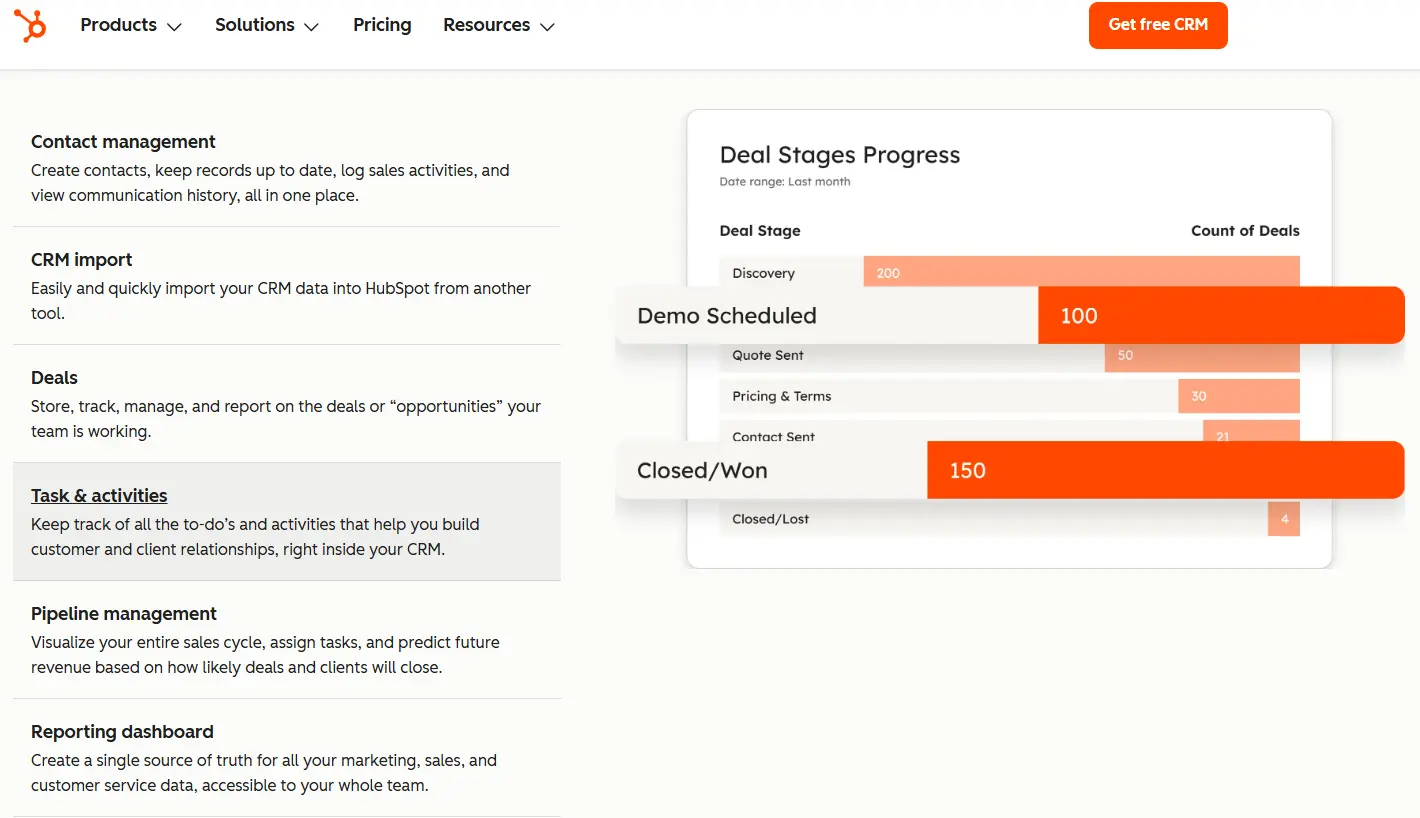
HubSpot is the only CRM on this list that handles the full franchise picture: franchisee development, end-customer marketing, location-level sales pipelines, and network-wide reporting, all in one platform. We’ve seen Crunch Fitness use HubSpot to achieve a 28% increase in free trial signups, double their email open rate, and cut email creation time by 83%. That’s what the platform does when it’s set up correctly for a franchise environment.
Franchise-specific strengths:
- Custom Objects in HubSpot let you build a true franchise hierarchy: franchisor, franchisee, territory, and end customer as distinct data layers
- Operations Hub keeps data clean across all locations, with automated field normalization that prevents the duplicate records and data drift that plagues multi-location setups
- Marketing Hub’s team-based permission structure lets corporate manage brand-approved templates while giving individual locations control over send timing and local personalization
- Sales Hub manages both the franchise development pipeline (recruiting new franchisees) and the location-level sales pipeline in separate, clearly-defined views
- Built-in reporting can segment by location, region, or the entire network without exporting to a spreadsheet
Honest limitation: HubSpot’s pricing stacks up fast when you need multiple Hubs at the Pro or Enterprise tier. For a network of 50+ locations needing Sales Hub, Marketing Hub, and Operations Hub, you’re looking at a significant annual investment. Smaller franchise networks should start with the tools they actually need and expand.
Pricing: Free CRM available. Sales Hub Starter from $20/seat/month; Pro from $100/seat/month. Operations Hub Pro from $720/month.
Integrate IQ note: We’ve migrated franchise brands to HubSpot from FranConnect, Zoho, and spreadsheet-based setups. The real value we add isn’t just data migration. It’s building the connections between HubSpot and the franchise-specific tools a network can’t replace: POS systems, royalty platforms, scheduling software. Most HubSpot implementations in the franchise space don’t account for these integrations upfront, which creates data silos six months in. We build the full stack from day one.

Turn HubSpot Into A Real-Time SMS Engine with
Message IQ

Two-Way Conversations

Shared Team Inbox

Automation Triggers

Advanced Reporting

Compliance Tools
-
98%
SMS read within 3 min -
78%
Buy from first responder -
21×
More likely to qualify
3–5 min avg response
$45–$50 ROI / $1

*MessageIQ is an IntegrateIQ product – built natively for HubSpot by the same team.
2. FranConnect — Best Native Franchise Management Platform
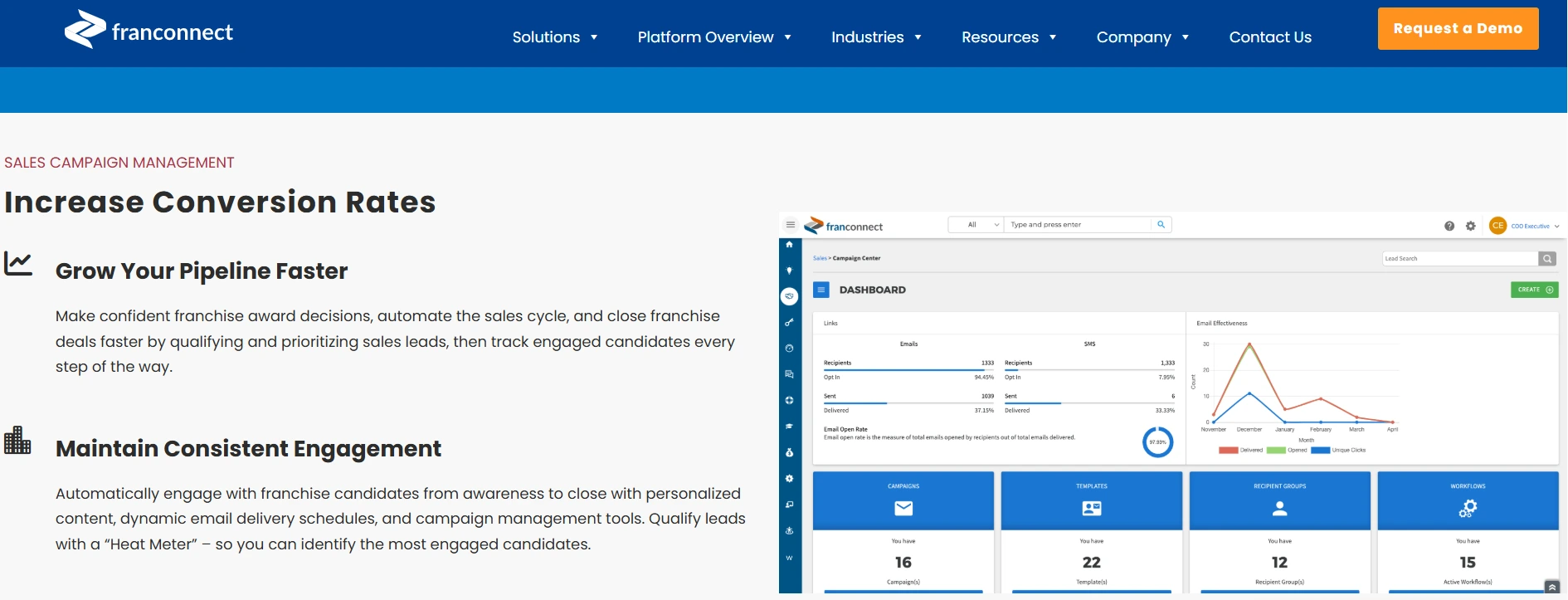
FranConnect is the most widely deployed franchise-specific software on this list and for good reason. It was built for franchisors, by people who understand the franchise lifecycle. Royalty collection, FDD distribution, franchisee onboarding workflows, field operations audits: FranConnect does all of this better than any general-purpose CRM.
Franchise-specific strengths:
- Purpose-built franchise lifecycle management from initial franchisee lead through territory assignment, onboarding, and ongoing operations
- Automated royalty collection integrated directly with franchisee POS systems and accounting software like QuickBooks
- Field operations module with mobile checklists for site visits, brand compliance audits, and performance benchmarking across locations
- FDD distribution and legal document management built into the platform
- Franchisee portal gives individual locations access to training, resources, and performance data without touching the franchisor’s CRM
Honest limitation: FranConnect isn’t a true CRM in the technical sense. Its API is limited, which means routing leads directly from your website or ad platforms into FranConnect typically requires an email parser workaround rather than a clean API connection. Custom reporting is weak: if you need reports beyond what the platform provides by default, you’re exporting to Google Sheets. It’s excellent franchise management software but it can’t fully replace a CRM for marketing automation and sales pipeline management.
Pricing: Quote-based enterprise pricing. Contact FranConnect directly.
Integrate IQ note: FranConnect integrates with HubSpot natively, which is actually the setup we see working best for established franchise brands: FranConnect handles operations and compliance, HubSpot handles marketing and sales pipeline. We build that connection to make data flow cleanly between both systems.
3. Salesforce — Best CRM for Large Enterprise Franchise Networks
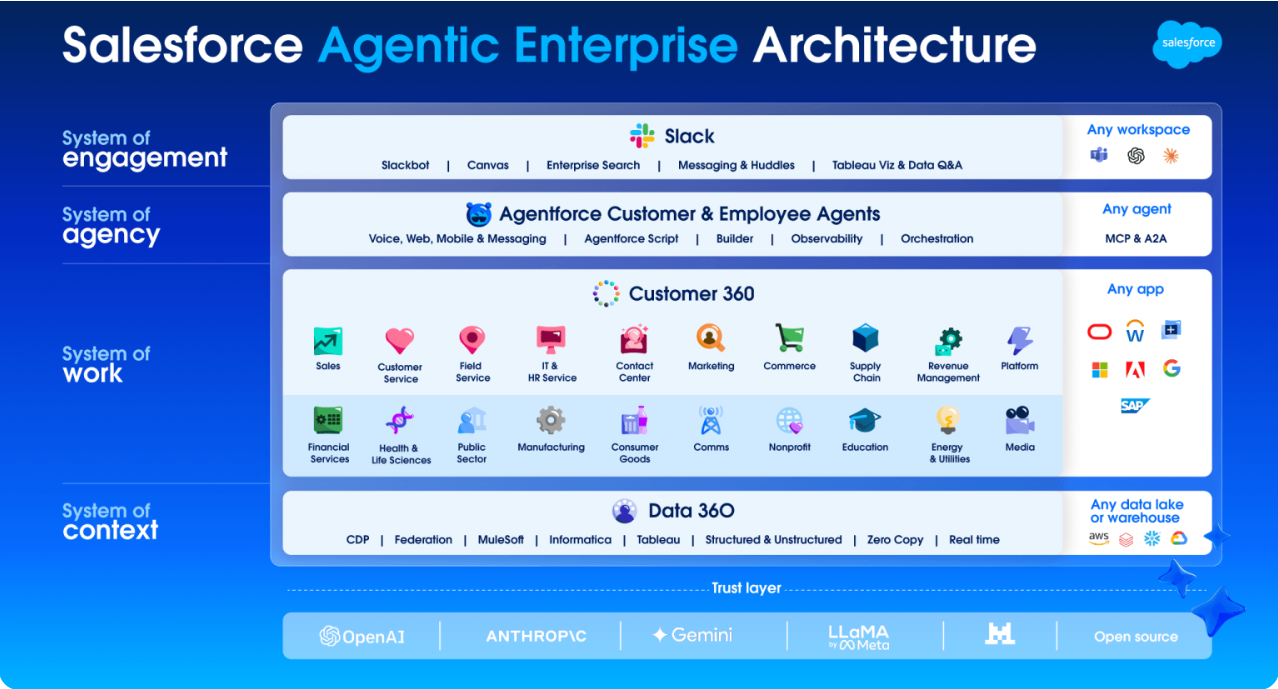
Salesforce is the right call for large franchise networks that need unlimited customization, enterprise-grade security, and reporting that can slice data any way imaginable. Wyndham Hotels used Salesforce to build personalized customer profiles across its franchise network, which drove a measurable increase in booking rates. At that scale, Salesforce earns its price tag.
Franchise-specific strengths:
- Fully customizable data model: build any franchise hierarchy you need without hitting platform limitations
- Enterprise-grade role-based permissions that let you define exactly what each level of the franchise network can see and edit
- Strongest reporting and analytics on this list: slice performance data by location, region, territory, or any custom dimension
- Massive integration ecosystem with AppExchange: connects to nearly any franchise-specific tool
- Scales without friction from 50 to 5,000 locations
Honest limitation: Salesforce is expensive, complex to implement, and requires dedicated admin resources to maintain. For franchises under 50 locations without an in-house Salesforce admin, you’ll spend more time and money managing the CRM than it saves you. Implementation timelines are long and costs run high.
Pricing: Starter Suite from $25/user/month; Enterprise from $165/user/month. Total cost of ownership for a franchise network includes implementation, customization, and admin overhead.
Integrate IQ note: If you’re using Salesforce alongside HubSpot or evaluating a migration between the two, we build that integration and can walk you through what the transition actually involves for a franchise environment.
4. Zoho CRM — Best Mid-Market Alternative for Growing Franchise Networks
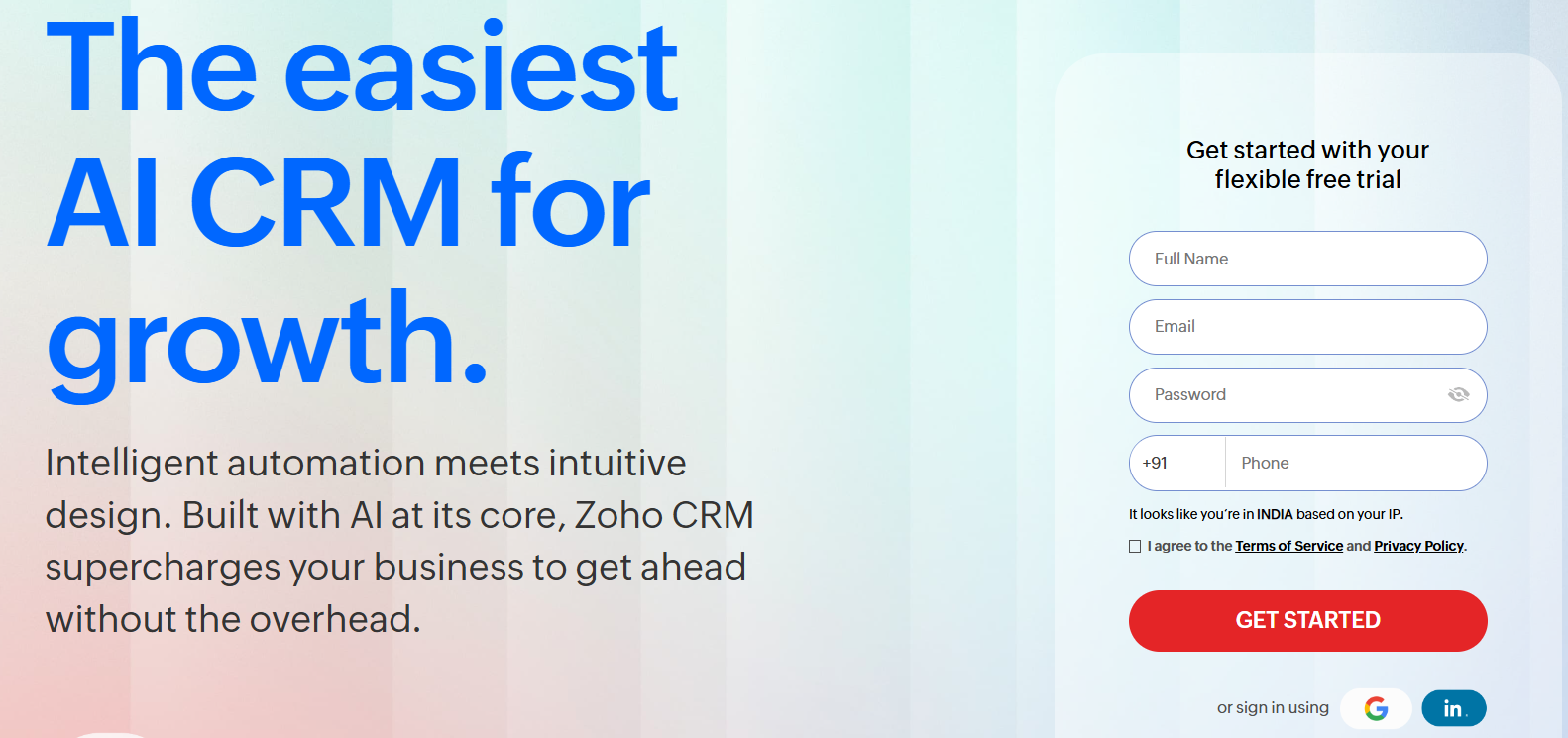
Zoho CRM sits in an interesting position for franchises: it gives you Salesforce-level customization at roughly a third of the price. For franchise networks in the 10-50 location range that need real data modeling flexibility without the Salesforce price point, Zoho is worth serious consideration. Over 85% of Zoho users report satisfaction with its adaptability for multi-location setups.
Franchise-specific strengths:
- Deep custom field and module configuration that lets you build a franchise hierarchy without workarounds
- Multi-currency and multi-territory support built in, useful for international franchise networks
- Canvas design studio lets franchise teams build custom CRM views for each role without developer help
- Competitive pricing that doesn’t penalize you for adding seats as your network grows
- Solid email marketing and automation tools included at lower tiers than HubSpot
Honest limitation: Zoho’s interface takes longer to learn than HubSpot’s and the app ecosystem, while growing, doesn’t match the depth of Salesforce or HubSpot’s integration libraries. Franchise-specific features like royalty management and franchisee onboarding workflows are absent.
Pricing: Free tier for up to 3 users. Paid plans from $14/user/month (Standard) to $52/user/month (Ultimate).
5. Pipedrive — Best CRM for Franchise Development Teams
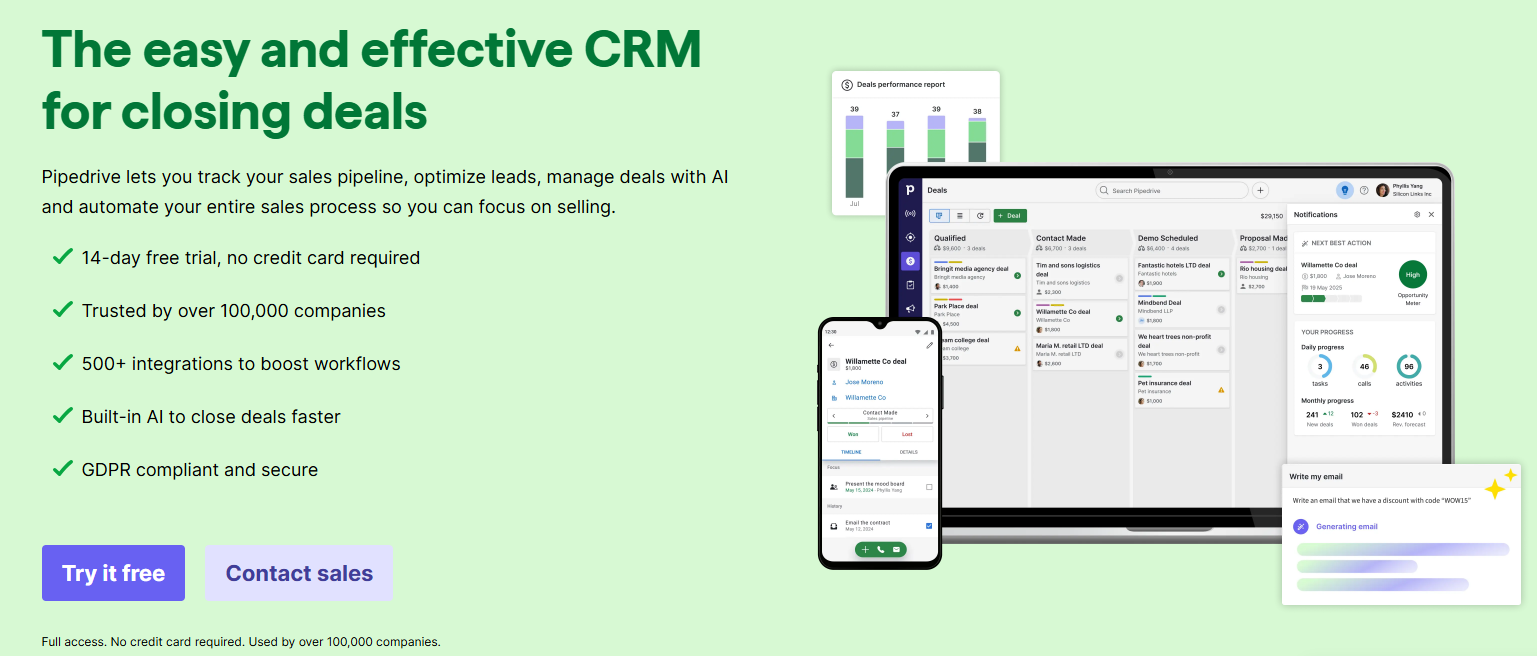
Pipedrive doesn’t try to do everything, and that’s actually its strength for a specific use case. If your immediate problem is the franchisee recruitment pipeline (moving qualified candidates from inquiry to signed agreement through a defined set of stages), Pipedrive’s visual pipeline is one of the cleanest tools for that job.
Franchise-specific strengths:
- Clean visual pipeline that makes it easy to manage the franchisee candidate journey from inquiry to approval
- Activity-based selling features keep franchise development reps focused on the right follow-up actions at each stage
- Fast to deploy: franchise development teams can be live in days without IT involvement
- Email tracking and automation handles the follow-up sequences that franchise development teams need to run at volume
Honest limitation: Pipedrive is a franchise development tool, not a franchise management platform. It doesn’t handle end-customer CRM, multi-location reporting, marketing automation across locations, or any franchise operations functionality. If your goal is one platform for everything, Pipedrive doesn’t get you there.
Pricing: Essential plan from $14/seat/month. Advanced from $29/seat/month.
Integrate IQ note: If you’re using Pipedrive for franchise development and need to connect it to HubSpot for broader marketing and customer management, we build that data bridge.
6. FranchiseSoft — Best All-in-One Platform for Smaller Franchise Networks
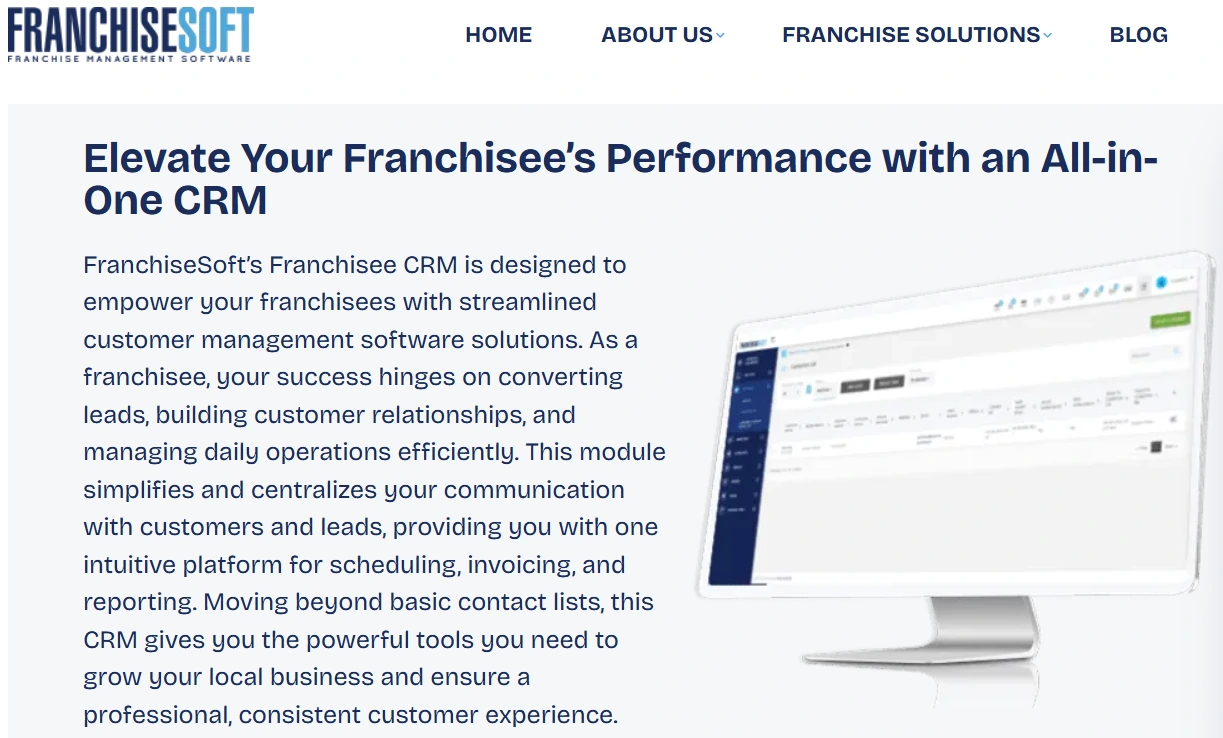
FranchiseSoft is purpose-built for franchises the way FranConnect is, but it targets smaller franchise networks that need the core functionality without the enterprise complexity. If you’re running 5-20 locations and want integrated accounting, lead management, and marketing automation in one platform without a six-figure implementation, FranchiseSoft deserves a look.
Franchise-specific strengths:
- Integrated accounting system tracks franchise finances alongside CRM data, useful for smaller networks without a separate finance stack
- Customer segmentation features let you create targeted campaigns based on location-level customer demographics
- Multi-location reporting gives franchisors a top-down view of lead flow and conversion across the network
- Purpose-built onboarding workflows for new franchisees, including training and compliance tracking
Honest limitation: FranchiseSoft’s third-party integration ecosystem is thin compared to HubSpot or Salesforce. As your network grows and you start adding specialized tools (e-commerce, advanced marketing automation, custom analytics), you’ll hit the platform’s limits faster than you’d like.
Pricing: Quote-based. Contact FranchiseSoft directly.
7. Freshsales — Best for Franchise Networks Prioritizing AI-Powered Sales Automation
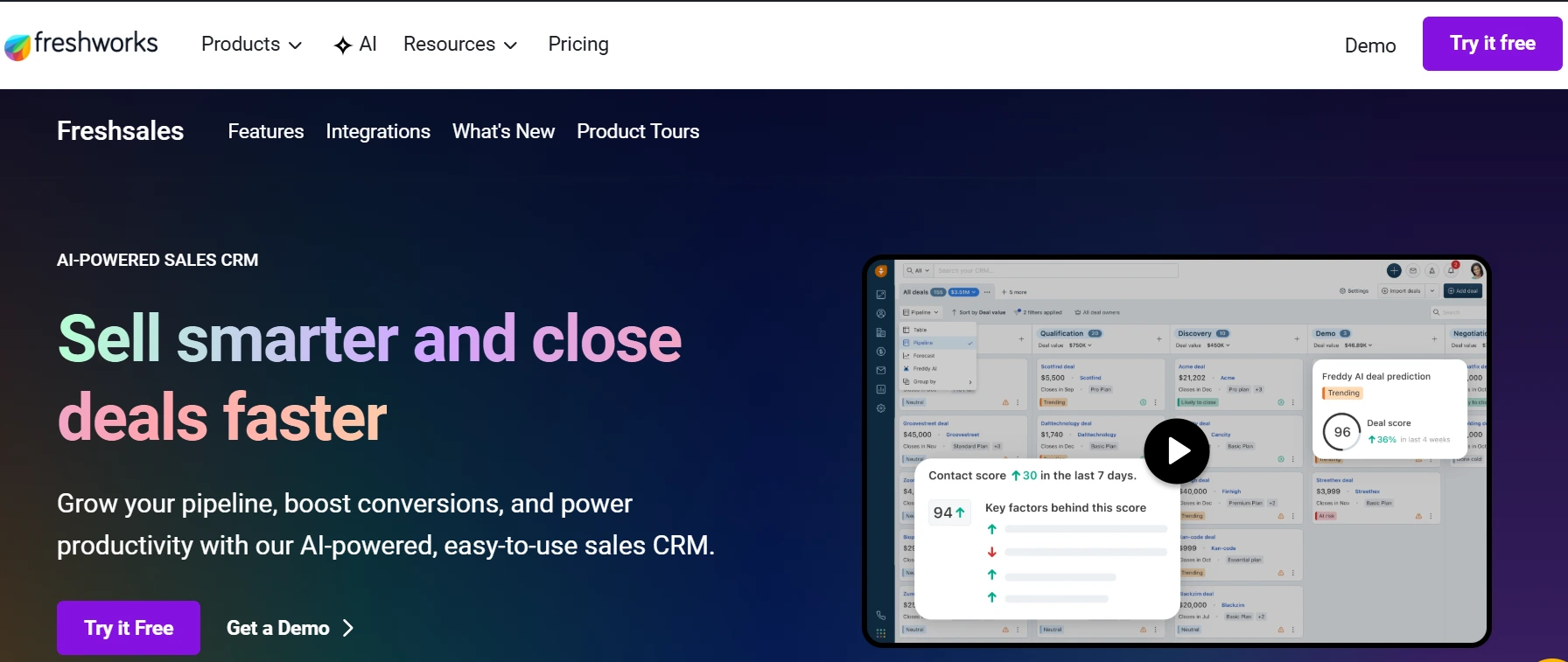
Freshsales gives growing franchise networks a modern, AI-powered CRM that’s significantly easier to deploy than Salesforce at a competitive price. Its built-in AI (Freddy AI) handles lead scoring and deal predictions, which helps franchise sales teams prioritize follow-up across high-volume location-level pipelines.
Franchise-specific strengths:
- Freddy AI scores leads automatically and flags deals at risk of going cold, reducing manual review time for multi-location sales teams
- Clean multi-pipeline setup works well for franchise networks managing both end-customer sales and franchisee development in parallel
- Built-in phone, email, and chat on all paid plans means franchise location teams don’t need additional communication tools
- Affordable pricing scales reasonably as the franchise network adds locations and seats
Honest limitation: Freshsales isn’t built for franchise-specific workflows. It lacks franchisee onboarding automation, royalty management, compliance tracking, and the multi-level data hierarchy that larger franchise networks need. It works well for end-customer sales pipelines but won’t replace a dedicated franchise management tool.
Pricing: Free plan available. Growth plan from $9/user/month; Pro from $39/user/month.
How These CRMs Compare for Franchise Businesses
| CRM | Best For | Franchisee Pipeline | End-Customer CRM | Native Franchise Features | HubSpot Integration | Starting Price |
|---|---|---|---|---|---|---|
| HubSpot | Overall best for franchises | Yes | Yes | Via custom objects | Native | Free / $20+/seat |
| FranConnect | Franchise operations | Yes | Limited | Yes (purpose-built) | Yes (native) | Quote-based |
| Salesforce | Enterprise networks | Yes | Yes | Via customization | Yes (IQ builds) | $25+/user |
| Zoho CRM | Mid-market growth | Yes | Yes | Limited | Via API | $14+/user |
| Pipedrive | Franchise development | Yes | No | No | Yes (IQ builds) | $14+/seat |
| FranchiseSoft | Small networks | Yes | Yes | Yes (purpose-built) | Limited | Quote-based |
| Freshsales | AI sales automation | Yes | Yes | No | Via API | $9+/user |
How to Choose the Right CRM for Your Franchise
Work through these five questions before you evaluate any vendor.
- Are you primarily a franchisor (recruiting franchisees), a multi-unit operator (managing end customers), or both? If you’re purely in franchise development, Pipedrive or FranConnect may be enough. If you need both sides of the equation, HubSpot is the only platform that handles them in one place without patching two systems together.
- How many locations do you operate? Under 10 locations: prioritize ease of use and fast deployment over depth. 10-50 locations: you need scalable automation and proper data hierarchy. 50+ locations: you need enterprise-grade permissions, reporting, and integration depth. HubSpot scales through all three stages; Salesforce is the better call above 100+ if budget allows.
- Do you need native royalty collection and compliance tools? If yes, FranConnect should be part of your stack. The question is whether FranConnect handles everything or whether you also need HubSpot alongside it for marketing and sales. Many established franchise brands run both.
- What tools are already embedded in your operations? List your POS system, scheduling software, accounting platform, and territory management tools before you evaluate CRMs. The CRM that integrates most cleanly with your existing stack is usually the right choice, assuming it meets the other criteria.
- Do you want one platform to do everything or a best-of-breed stack? One platform is simpler to manage but always makes compromises. A best-of-breed stack gives you the best tool for each job but requires real integration work to keep data clean. Integrate IQ’s 55 million fields synced daily across client systems gives us direct experience in what that integration work actually costs and where it breaks.
What Switching to HubSpot Looks Like for a Franchise
Switching CRMs across a multi-location franchise network is more complicated than a standard migration. Here’s what the process actually involves.
Common tools franchise networks migrate from: FranConnect (for development pipelines), Zoho CRM, Salesforce, spreadsheet-based tracking, and generic CRMs like Pipedrive or Freshsales that the team outgrew.
What data needs to move: Contact records segmented by location, deal history for both franchisee development and end-customer pipelines, email sequence history, custom fields that map to your franchise hierarchy, and marketing attribution data tied to specific locations.
What breaks if you do it wrong: Location-level data associations collapse (contacts lose their location tag and become impossible to segment). Duplicate records appear when the same contact exists in multiple location databases. Broken automation triggers fire on the wrong contacts after import. Marketing attribution resets, so you lose visibility into what was working.
Here’s what a clean migration to HubSpot looks like with Integrate IQ:
- Audit your current data structure and identify every custom field that needs to map to a HubSpot equivalent
- Design your franchise hierarchy in HubSpot using custom objects (Franchisee, Territory, Location) before any data moves
- Map all automation workflows from your old CRM to HubSpot equivalents, adjusting for the new platform’s logic
- Build integrations to the franchise-specific tools staying in your stack (POS, royalty platforms, scheduling software)
- Run a test migration on a single location before doing the full network
- Execute the full migration with team training built into the timeline
We typically deliver from kickoff to live in 8 weeks. The integrations to franchise-specific tools are what separates a CRM that looks great on day one from one that actually runs the business six months in.
Frequently Asked Questions
Is HubSpot good for franchises?
Yes, and it’s specifically strong because it handles both franchisee development and end-customer management in one platform. HubSpot’s custom objects let you build a proper franchise hierarchy (franchisor, franchisee, territory, end customer), while Operations Hub keeps data clean across locations. Crunch Fitness, a major multi-location franchise, used HubSpot to achieve a 28% lift in free trial signups and cut email creation time by 83%.
What’s the best free CRM for a small franchise?
HubSpot’s free CRM is the most capable free option on this list. It handles contact management, basic pipeline tracking, and email tools without a subscription. Freshsales also has a free plan. Both are appropriate for franchise networks under 5 locations getting started. Once you hit 10+ locations or need location-level reporting, you’ll need a paid tier.
Can I use FranConnect and HubSpot together?
Yes, and this is actually the setup we see working best for established franchise brands. FranConnect handles the franchise operations layer: royalty collection, compliance, FDD distribution, and franchisee onboarding. HubSpot handles marketing automation, end-customer CRM, and franchise development sales pipelines. The two platforms have a native integration, and IntegrateIQ can build a custom connection to make data flow cleanly between both systems.
How much does CRM software cost for a franchise?
Costs vary significantly based on the number of locations and seats, which Hubs or modules you need, and whether you require custom implementation. HubSpot’s free CRM costs nothing; Sales Hub Pro runs $100/seat/month. Salesforce Enterprise runs $165/user/month and up. FranConnect and FranchiseSoft are quote-based and typically land in the enterprise range. Factor in implementation costs, which for a multi-location franchise can run $15,000-$60,000 depending on complexity.
What’s the difference between a franchise CRM and a regular CRM?
A franchise CRM manages two distinct relationship types simultaneously: the franchisor-to-franchisee relationship (franchise development, onboarding, compliance, royalties) and the franchisee-to-end-customer relationship (sales, marketing, service). Regular CRMs manage one type of relationship in one direction. Franchise-specific platforms like FranConnect are built for this dual structure natively. General CRMs like HubSpot and Salesforce handle it through customization. The key differentiator is whether the platform can model a multi-level data hierarchy and separate pipelines for each relationship type.
See your 12-month revenue impact with HubSpot CRM
Enter your current numbers — visitors, leads, deal size — and get a personalized projection based on real HubSpot customer benchmarks.

Ready to Move Your Franchise to HubSpot?
Managing a franchise network means carrying two pipelines at once, keeping data clean across dozens or hundreds of locations, and making sure corporate can see what’s happening without micromanaging every franchisee. That’s the problem HubSpot solves better than anything else on this list when it’s set up correctly for the franchise environment.
Switching your franchise CRM is real work. Multi-location data migrations break in ways that single-location implementations don’t. You need someone who’s mapped franchise hierarchies in HubSpot, built integrations to POS systems and royalty platforms, and knows which automation workflows to rebuild first.
That’s what Integrate IQ does. As a HubSpot Diamond Solutions Partner with custom integration accreditation, we’ve processed 20 billion+ records annually and built 300+ platform integrations. We handle the data migration, build the connections to your remaining franchise-specific tools, and get your network live in 8 weeks.
If you want to see exactly what the implementation process looks like for a franchise environment, start with our integration process overview. If you’re ready to start scoping a migration, our CRM migration service is the right next step.
Explore our HubSpot integration process: integrateiq.com/our-hubspot-integration-process/
See our CRM migration service: integrateiq.com/services/crm-migrations/



Table of Contents
- What to Look for in a CRM for Your Franchise
- 1. HubSpot — Best Overall CRM for Franchise Businesses
- 2. FranConnect — Best Native Franchise Management Platform
- 3. Salesforce — Best CRM for Large Enterprise Franchise Networks
- 4. Zoho CRM — Best Mid-Market Alternative for Growing Franchise Networks
- 5. Pipedrive — Best CRM for Franchise Development Teams
- 6. FranchiseSoft — Best All-in-One Platform for Smaller Franchise Networks
- 7. Freshsales — Best for Franchise Networks Prioritizing AI-Powered Sales Automation
- How These CRMs Compare for Franchise Businesses
- How to Choose the Right CRM for Your Franchise
- What Switching to HubSpot Looks Like for a Franchise
- Frequently Asked Questions
- Ready to Move Your Franchise to HubSpot?

