













Explore this article with AI:
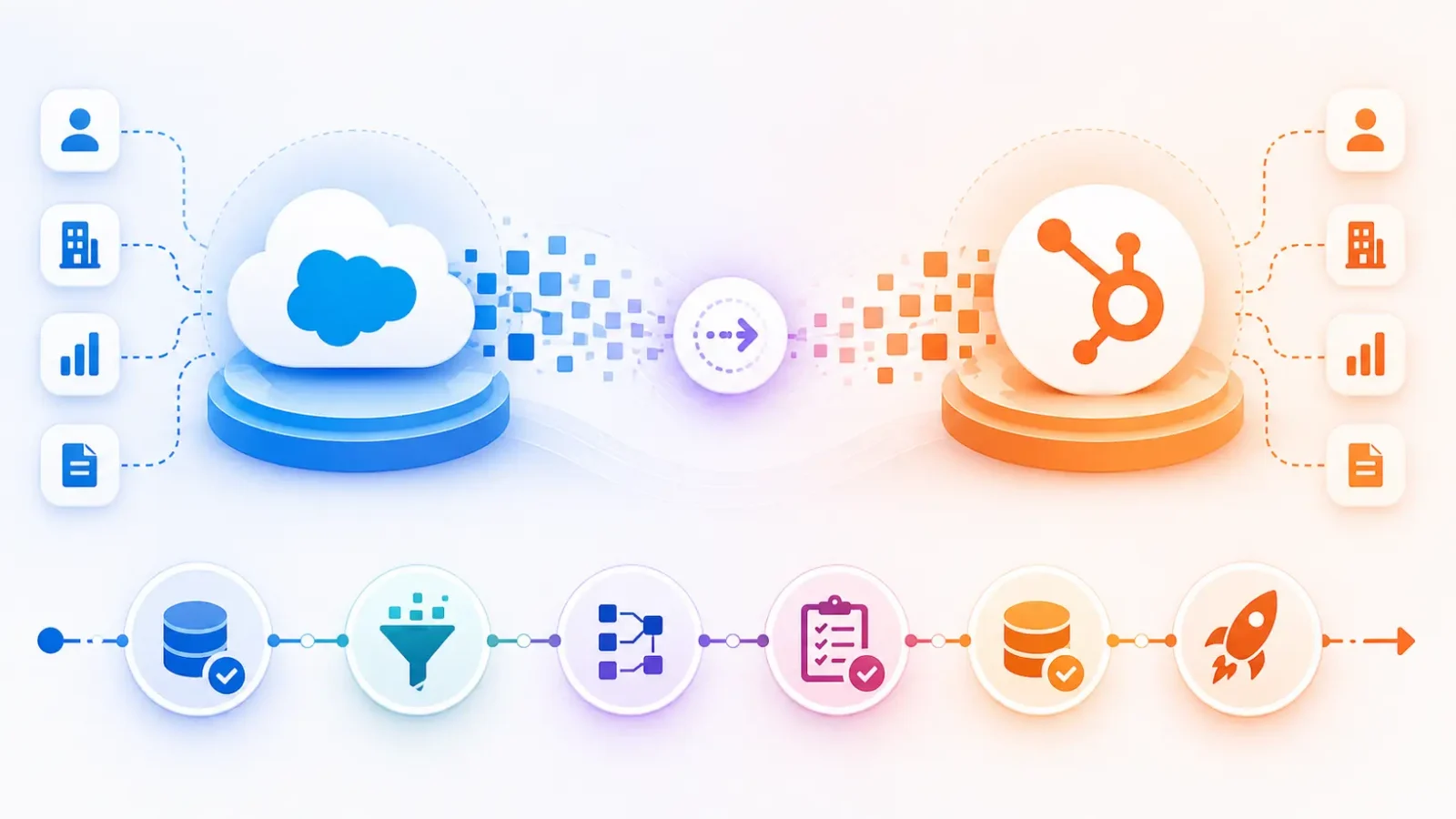
This guide isn’t meant to change your mind if you’ve already decided to leave Salesforce. You know why: the extra work for the admin, the cost of licenses, and the fact that the sales team has to log calls in a spreadsheet because it takes twelve clicks to do the same thing in the CRM. Right now, you need a clear picture of what the migration really means: the data choices, the technical trade-offs, the timeline, and the things that most guides don’t tell you until you’re in the middle of it.
Moving from Salesforce to HubSpot means moving all of your CRM data, business rules, automation, and integrations from a Salesforce organization to HubSpot’s CRM platform. It includes mapping data, setting up properties, rebuilding workflows, onboarding users, and reconnecting any third-party tools that were already connected.
Free estimator
Know what your HubSpot project costs before the first call.
Select your services and get a transparent price range in minutes. No sales call needed to get a number.
Connect HubSpot to your ERP, billing platform, or database field mapping, custom logic, and support included.
Pipelines, workflows, email templates, and reporting configured for how your team actually works.
Live, role-based sessions with recordings and written guides built around a custom plan for your team.
HubSpot Partner
Client retention
Platforms integrated
Why Companies Migrate from Salesforce to HubSpot (and Why the Numbers Make Sense)
Price : The Salesforce Pro Suite costs $100 per user per month. Enterprise costs $165 per user per month. A 25-person sales team on Pro Suite pays $30,000 a year before you add a dedicated Salesforce admin (who usually makes between $70,000 and $110,000 a year), AppExchange subscriptions, and implementation consulting that you need to make changes to the structure. The total cost of ownership is always three to five times the cost of the license.
Failure to adopt: Salesforce is a great tool, but it’s not meant for salespeople; it’s meant for Salesforce admins. When it takes too many clicks to log a call, reps stop doing it. Revenue intelligence stops working. Leadership can’t see the pipeline anymore. The CRM is no longer a tool for getting work done; it’s just a reporting tool.
The platform is broken up : A lot of Salesforce organizations use Marketing Cloud and Sales Cloud as separate products that don’t always work well together. RevOps has a lot of problems with broken syncs and mismatched data, but a single, unified HubSpot platform avoids these problems by design.
Equal AI and automation: Salesforce was clearly better at AI two years ago. That gap has gotten smaller. HubSpot’s AI tools, workflow automation, and reporting are now good enough to compete with most mid-market use cases, but they cost a lot less.
| When Salesforce Still Wins
Salesforce remains the right choice for orgs that need unlimited custom objects (HubSpot caps at 10 on Enterprise), heavy AppExchange ecosystem dependencies, complex Apex code-driven automation that can’t be replicated in HubSpot workflows, or deep Salesforce CPQ setups tied to enterprise procurement cycles. Before committing to migration, audit whether your org falls into any of these categories. Most mid-market teams don’t but some do, and migrating those environments into HubSpot creates more problems than it solves.
|

Turn HubSpot Into A Real-Time SMS Engine with
Message IQ

Two-Way Conversations

Shared Team Inbox

Automation Triggers

Advanced Reporting

Compliance Tools
-
98%
SMS read within 3 min -
78%
Buy from first responder -
21×
More likely to qualify
3–5 min avg response
$45–$50 ROI / $1

*MessageIQ is an IntegrateIQ product – built natively for HubSpot by the same team.
Before You Begin: The Salesforce Audit That Determines Your Migration Scope
This is the step that makes migrations that take 8 weeks different from those that take 6 months. Most teams skip it or do it too quickly, which is why most migrations take longer than expected.
There are six areas that a proper Salesforce audit should look at:
- Standard and custom object inventory: make a list of all the objects, all the fields, and the population rate of each custom field. If a field has less than 10% of its data populated, it probably doesn’t need to move. We always find between 30% and 50% of custom Salesforce fields in this group.
- Automation and workflow map: list all of the active processes, workflows, and flow builders. Write down the trigger logic, the actions, and any other workflows that depend on it. You can’t just copy these; you have to rebuild them in HubSpot.
- This is the one that most guides don’t talk about: Apex code dependencies. Custom Apex triggers and classes in your Salesforce org won’t work in HubSpot. They need to be rebuilt as HubSpot workflow actions, custom code steps in Operations Hub, or custom API integrations. Bringing this up early stops a nasty surprise in week five.
- AppExchange integration map: show all the third-party tools that work with Salesforce, the direction of their data flow, and whether or not there is a HubSpot native integration for them.
- User adoption analysis looks at who is really using Salesforce, what they use it for, and where they have found ways around problems. Workarounds show that there are problems with the HubSpot architecture that need to be fixed.
- A snapshot of data quality shows the number of duplicate records, problems with field standardization, and the number of inactive records. If something is older than 18 months and hasn’t been used, it should be looked at for archiving, not migration.
This part lasts one to two weeks. The result is a migration scope document that tells you what method to use, how long the project will last, and if you need a partner.
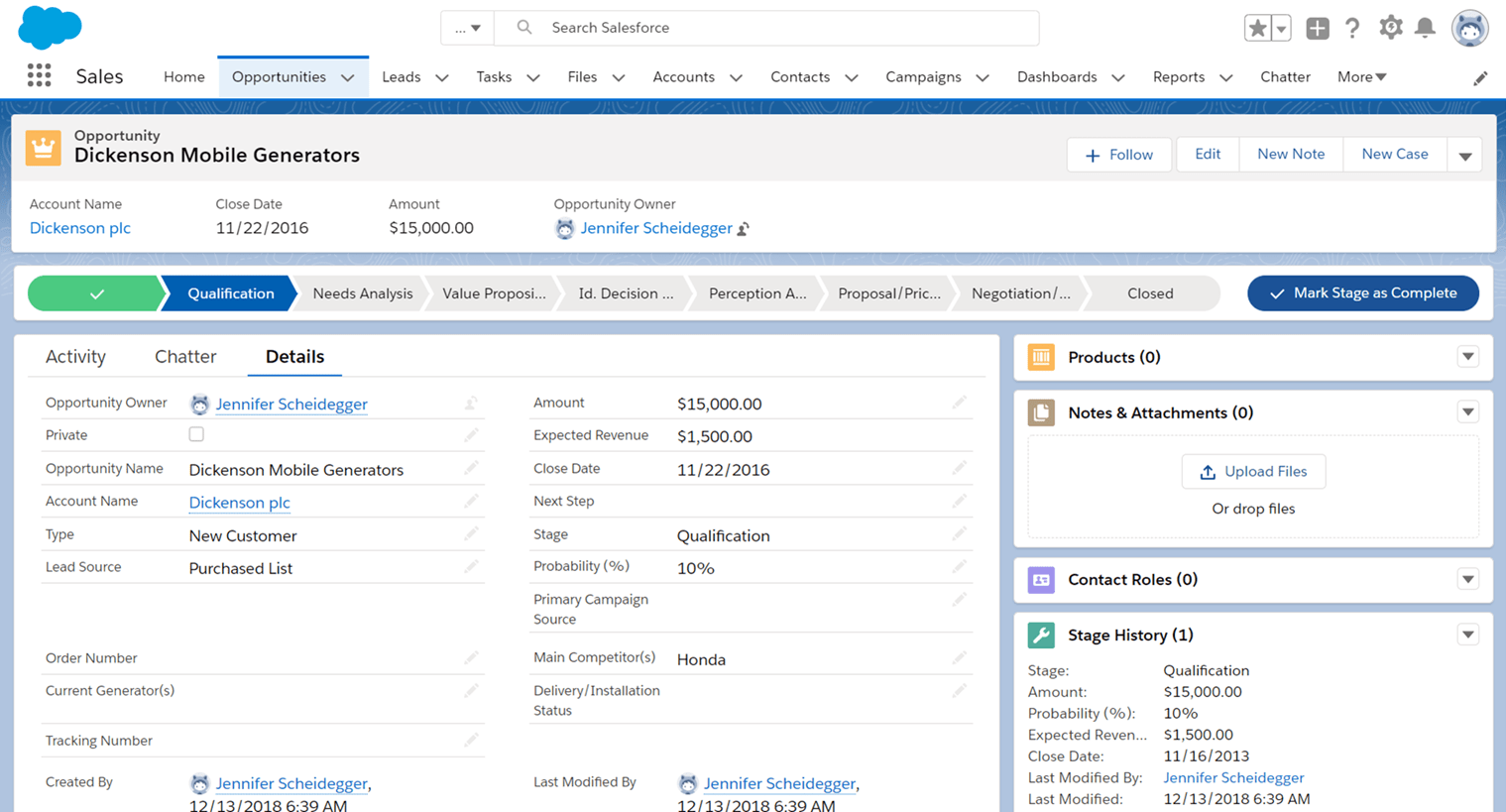
Salesforce vs HubSpot Data Model: What Maps and What Doesn’t
The fact that the two platforms are built differently is what causes the most confusion at the start of a migration. HubSpot’s data model is simpler and flatter than Salesforce’s. This is both a good and a bad thing.
This is what the core object mapping looks like:
| Salesforce Object | HubSpot Equivalent | Mapping Notes | Complexity |
| Leads | Contacts | HubSpot has no Lead object. Leads and Contacts both map to Contacts, qualified by Lifecycle Stage (Lead, MQL, SQL, etc.). Lead Status maps to Contact properties. | Medium |
| Contacts | Contacts | Direct mapping. Standard fields mostly match; custom fields need property creation in HubSpot first. | Low |
| Accounts | Companies | Direct mapping. Parent-child account hierarchies become parent-child Company associations in HubSpot. | Low-Medium |
| Opportunities | Deals | Opportunity Stages map to Deal Pipeline Stages. Multiple pipelines supported. Opportunity line items need mapping to Products or custom Deal properties. | Medium |
| Cases | Tickets | Direct equivalent. Case statuses map to Ticket Statuses. Assignment rules become workflow-based ticket routing. | Low |
| Custom Objects (10+) | Custom Objects (max 10, Enterprise only) | HubSpot caps custom objects at 10. Orgs with more than 10 Salesforce custom objects must consolidate before migration. This is a hard architectural decision. | High |
The Lead model is the most important change in thinking. Salesforce sees Leads as a different type of record that comes before conversion. HubSpot sees everyone as a Contact from the first touch and uses Lifecycle Stage to see if they are qualified. This means you need to completely redesign your lead management process, not just remap it.
| Custom Object Limit: Plan for This Early
HubSpot’s 10 custom object limit on Enterprise applies at the portal level. If your Salesforce org has 15 custom objects, you need to decide which 10 survive the migration, which get consolidated into existing objects, and which get retired. This is a business process decision, not a technical one. Make it before week one of migration, not during week six. |
Migration Methods Compared: Native Connector, CSV Import, or Custom Integration?
There are three different ways to do it, and each has its own pros and cons. What you choose will depend on how big your organization is, how complicated your data is, and whether you need to keep old activity data.
| Method | Best For | Handles Activity History? | Risk Level | Timeline | When to Use a Partner |
| HubSpot Native Salesforce Integration | Under 50K records, simple data model, parallel running during transition | Limited (recent activity only) | Medium | 2-4 weeks | Recommended for custom field mapping and pipeline configuration |
| CSV Bulk Import | Clean datasets, orgs prioritizing speed over history, isolated record types | No | Low-Medium | 1-2 weeks | Recommended for data cleaning and field mapping workbook prep |
| Custom API / Integration-Led Migration | 100K+ records, complex associations, Apex-heavy orgs, full activity history preservation, custom objects | Yes | Low (when handled by partner) | 6-8 weeks (full scope) | Required — this is not a DIY project |
| iPaaS Tools (Workato, MuleSoft) | Orgs with existing iPaaS investments and internal integration engineers | Partial | Medium-High (depends on config) | 4-8 weeks | Required — iPaaS tools need deep configuration expertise |
| Salesforce API Rate Limits: The Bottleneck Nobody Mentions
The HubSpot native Salesforce integration works through Salesforce’s API. At scale typically 100K+ records or orgs with complex field mapping Salesforce API rate limits throttle the sync and stall the migration. We’ve seen projects grind to near-standstill because a team assumed the native connector would handle bulk transfer at the same speed it handles daily sync. It doesn’t. If your record volume is high or your Salesforce org has heavy API consumption from other integrations, plan for a custom-built migration approach from the start. |
Data Cleaning: The Non-Negotiable Step Before Any Migration Starts
Moving dirty data around doesn’t fix data problems. It moves them to a new system where they are harder to find and more expensive to fix. Before migration starts, spending 1–2 weeks on data hygiene pays off in weeks of cleanup that doesn’t have to happen after go-live.
Before any record can move, three things need to be done:
Records that are the same : Do a deduplication analysis on Contacts and Accounts. During a recent migration we worked on, the pre-migration audit found more than 18,000 duplicate contact records that had built up over four years. If you brought those into HubSpot, it would have broken workflow enrollment, messed up lead scoring, and caused a backlog of support tickets because confused reps would have gotten duplicate task notifications.
Standardization of fields: Before moving, the formats of phone numbers, country codes, state/province values, and picklist options need to be the same. After go-live, having a contact with ‘+1-312-555-0100’ and another with ‘3125550100’ in the phone field will cause automation and segmentation problems.
Decisions about inactive records: If a contact or company hasn’t interacted with you in the last 18 to 24 months, you should either archive them in Salesforce or not move them at all. They raise the level of your HubSpot contacts, which affects how much you pay for Marketing Hub, and they mess up how you segment your lists. Call before you move; it’s much harder to do it after.
Before you start setting up HubSpot, make a workbook for field mapping. For each Salesforce field you’re moving, make sure to map it to the right HubSpot property. This document is the project’s official source of information and the best way to avoid mistakes that come up when the project goes live.
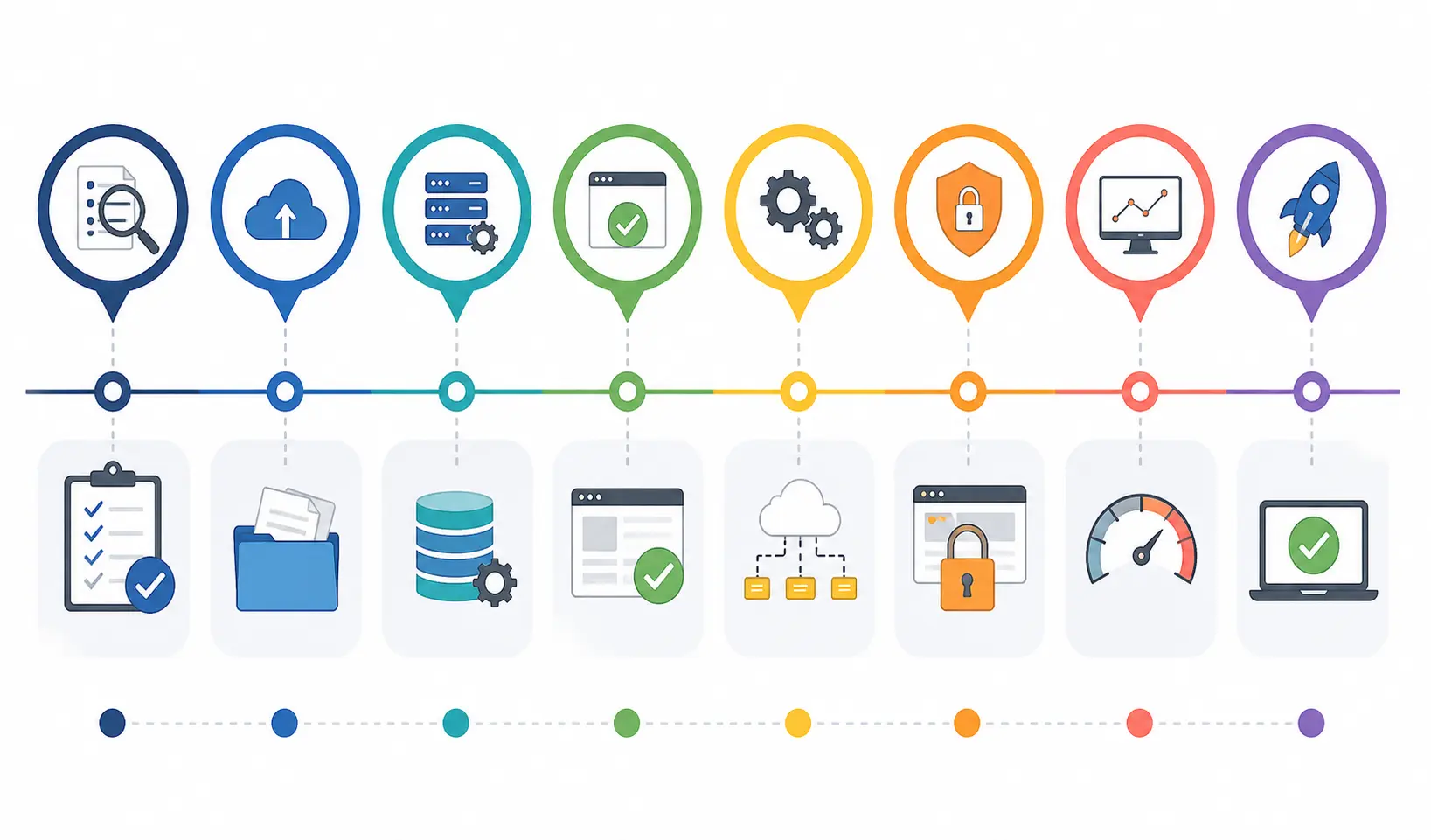
Phase-by-Phase Migration Process (8-Week Timeline)
Most Salesforce-to-HubSpot migrations run 3 months when teams try to manage them without a structured process. Our process at Integrate IQ consistently delivers in 8 weeks from kickoff. Here’s how it breaks down:
Phase 1: Discovery and Architecture (Weeks 1-2)
- Complete the Salesforce audit (objects, fields, automation, Apex, integrations)
- Cross-functional stakeholder alignment: sales, marketing, RevOps, IT
- Migration scope decision: what migrates, what gets archived, what gets rebuilt
- HubSpot tier and hub selection based on required features
- Migration method decision (native, CSV, or custom API)
- Field mapping workbook draft
Phase 2: HubSpot Configuration (Weeks 2-3)
- HubSpot account setup: SSO, 2FA, user roles and permissions
- Custom property creation across Contacts, Companies, Deals, Tickets
- Pipeline stage configuration with input from frontline sales teams
- Lifecycle stage and Lead Status property design
- Custom object creation (if required and within the 10-object limit)
- Parent-child company association setup
Phase 3: Data Preparation and Sandbox Testing (Weeks 3-5)
- Data deduplication and cleanup execution
- Field standardization across all migrating objects
- Pilot migration: run a representative sample dataset through the configured HubSpot environment
- Validate record counts, field values, and associations against source data
- Resolve mapping errors, missing properties, and association failures before full migration
Phase 4: Asset Migration and Workflow Rebuild (Weeks 5-7)
- Email template recreation in HubSpot
- Sequence and cadence rebuild (don’t replicate Salesforce sequences; redesign them for HubSpot’s strengths)
- Workflow rebuild: lead routing, lifecycle stage automation, task creation, deal stage progression
- Report and dashboard recreation in HubSpot
- Lead scoring model rebuild or initial setup
Phase 5: Cutover and Stabilization (Weeks 7-8)
- Phased cutover: move marketing first, then SDRs, then account executives
- Parallel running: keep Salesforce in read-only mode for two weeks post-cutover
- Role-specific training before go-live, not after
- Post-go-live stabilization: monitor workflow performance, sync behavior, and data quality for two weeks
- Salesforce license cancellation after clean confirmation that HubSpot is fully operational
| Why 8 Weeks Instead of 3 Months
The 3-month average reflects what happens when migration is run as a side project by an internal team that’s also doing their day job. The 8-week timeline is achievable when a dedicated partner owns the project plan, runs the data work, and handles the configuration in parallel with internal stakeholder decisions. We’ve completed this across 300+ platform integrations 98.5% of those clients renew with us. The timeline isn’t magic; it’s process. |
What Breaks After Migration: Reconnecting Your Tech Stack to HubSpot
This is the section most migration guides don’t include. And it’s the one that catches teams off guard most often.
Migration moves the CRM. But the CRM doesn’t work in isolation. Before Salesforce, you had third-party tools connected to it: your ERP passing order and invoice data, your e-commerce platform syncing purchase history, your data warehouse pulling deal data for BI reporting. After migration, those connections still point at Salesforce. Rebuilding them for HubSpot is phase two of the project, and it’s where most companies underestimate scope, timeline, and cost.
The five post-migration integration scenarios we rebuild most frequently:
- ERP sync (NetSuite, Dynamics 365, SAP, Epicor). Finance teams need order status, invoice data, and customer spend history in the CRM for accurate pipeline forecasting and account management. Without this connection, sales reps are flying blind on their most important accounts. We’ve built this for construction suppliers on Epicor, logistics companies on NetSuite, and manufacturing teams across SAP environments.
- E-commerce platform sync (Shopify, Magento). Purchase history, product data, and cart activity need to flow into HubSpot Contact and Company records to enable lifecycle marketing, churn signals, and upsell automation. The Salesforce connectors for these platforms don’t automatically reconnect to HubSpot after migration.
- Support and ticketing tools (Zendesk, Freshdesk). If your support team works in Zendesk and your sales team works in HubSpot, the bidirectional sync between them needs configuring after migration. Without it, account managers lose visibility into open tickets and customer health signals.
- Data warehouse and BI connections (Snowflake, BigQuery). Reporting pipelines that pull Salesforce data into your data warehouse for revenue reporting, attribution modeling, and forecasting all break at migration. These need rebuilding to pull from HubSpot’s API or via Operations Hub data sync.
- Custom internal tools. Most mid-market companies have at least one internal application that reads from or writes to Salesforce via API. Those connections need rebuilding for HubSpot’s API endpoints after migration. Every one of those integrations has its own timeline and testing requirement.
We handle these as a natural extension of the migration project, not a separate engagement. As a HubSpot Diamond Partner processing 7 million fields synced daily across our integrations, this is the work we’re built for. The companies that don’t plan for this phase often spend the first 90 days after go-live firefighting broken data flows instead of capturing the efficiency gains they migrated for.
For specific integration scenarios, our documentation covers:
HubSpot + NetSuite integration (integrateiq.com/integrations/hubspot-netsuite/)
HubSpot + Shopify integration (integrateiq.com/integrations/hubspot-shopify/)
HubSpot + Snowflake integration (integrateiq.com/integrations/hubspot-snowflake/)
Should You Migrate Yourself or Work With a HubSpot Solutions Partner?
The honest answer depends on your org complexity, internal capacity, and risk tolerance. Here’s a framework that makes the decision cleaner.
DIY makes sense when:
- Your Salesforce org is relatively clean: under 20K records, minimal custom objects, no Apex code
- You have internal RevOps capacity that can dedicate 200-400 hours to the project
- Your tech stack has minimal third-party integrations connected to Salesforce
- Timeline pressure is low and you can absorb delays without license overlap costs
Partner-led migration makes sense when:
- Your Salesforce org has custom Apex code, 15+ custom objects, or complex object associations
- Record volume exceeds 50K or the native connector creates API rate limit constraints
- You have a hard go-live deadline that can’t absorb discovery-phase surprises
- Post-migration, HubSpot needs connecting to ERPs, e-commerce platforms, or custom internal tools
- Your internal team runs the business during the day and can’t own a migration as a primary project
What does partner-led migration cost? Structured partner engagements for mid-market migrations typically run $15,000-$60,000 depending on complexity. That range covers discovery, data cleaning, configuration, testing, training, and post-go-live support. The ROI case is straightforward: companies that switch from Salesforce commonly reduce annual tech spend by $20,000-$80,000. Partner fees pay for themselves in the first year. And they eliminate the hidden costs of DIY: internal hours diverted from revenue-generating work, extended Salesforce license overlap, and post-migration data cleanup that takes longer than the migration itself.
FAQ: Salesforce to HubSpot Migration
How long does it take to migrate from Salesforce to HubSpot?
With a structured partner-led process, most mid-market migrations complete in 8 weeks from project kickoff. DIY migrations without dedicated project ownership typically run 3-4 months. The variables that extend timeline include Salesforce custom object count, record volume above 100K, Apex code dependencies that need rebuilding, and the number of third-party integrations that require reconnection post-go-live.
Does migrating from Salesforce to HubSpot cause downtime?
A well-executed migration uses a phased cutover approach: HubSpot runs in parallel with Salesforce while data migrates, teams train, and workflows are validated. Most organizations experience only a few hours of read-only access during the final cutover moment. Salesforce stays in read-only mode for two weeks after go-live as a safety net, then gets decommissioned once the team confirms HubSpot is fully stable.
Can I migrate Salesforce custom objects to HubSpot?
HubSpot supports custom objects on Enterprise tier, but caps the total at 10 per portal. If your Salesforce org has more than 10 custom objects, you need to make consolidation and architecture decisions before migration starts. Objects with low usage or overlapping data models often consolidate into existing HubSpot objects cleanly. This is a business process decision that determines migration scope and should happen in week one of the project, not week six.
What data can’t be migrated from Salesforce to HubSpot?
Apex code doesn’t translate to HubSpot natively and needs rebuilding as HubSpot workflow actions or custom code steps in Operations Hub. Salesforce formula fields need recreation as HubSpot calculated properties. AppExchange-specific data that lives outside the core Salesforce data model requires case-by-case evaluation. Activity history older than the migration date can sometimes be preserved with a custom API migration approach but requires additional scoping.
How much does a Salesforce to HubSpot migration cost?
Partner-led migrations for mid-market orgs typically run $15,000-$60,000. The lower end covers simpler orgs with clean data, standard objects, and minimal integration dependencies. The higher end applies to complex custom object architectures, Apex code rebuilds, high record volumes, and post-migration integration projects connecting HubSpot to ERPs or custom systems. DIY migrations have lower direct costs but carry significant hidden costs in internal hours, Salesforce license overlap while the project extends, and post-go-live cleanup.
Should I use HubSpot’s native Salesforce integration to migrate data?
The native Salesforce integration works well for orgs under approximately 50K records with straightforward data models. It enables real-time bidirectional sync during the parallel running phase. For larger orgs or those with complex field associations, the native connector runs into Salesforce API rate limits that throttle bulk migration and stall progress. At that scale, a custom API-driven migration approach delivers faster, more complete data transfer without the API constraint bottleneck.
See your 12-month revenue impact with HubSpot CRM
Enter your current numbers — visitors, leads, deal size — and get a personalized projection based on real HubSpot customer benchmarks.

Ready to Start Your Migration? Here’s the Process That Doesn’t Leave Data Behind.
Most CRM migrations fail for one reason: the team underestimates what they don’t know until they’re in the middle of it. Custom objects that don’t map cleanly. Apex code that nobody documented. Third-party integrations that break on day one because nobody budgeted for reconnecting them.
We’ve shipped Salesforce-to-HubSpot migrations for companies across manufacturing, e-commerce, staffing, and financial services. As a HubSpot Diamond Solutions Partner with custom integration accreditation, we bring the technical depth to handle complex orgs and the project process that delivers in 8 weeks, not three months. Post-migration, we stay engaged to connect HubSpot to the rest of your tech stack so the efficiency gains you migrated for actually show up in the numbers.
If you want to understand the scope of your specific migration before committing to a timeline, our process page walks through exactly how we approach this:
See IntegrateIQ’s HubSpot Integration Process
Talk to the team about your migration scope



Table of Contents
- Why Companies Migrate from Salesforce to HubSpot (and Why the Numbers Make Sense)
- Before You Begin: The Salesforce Audit That Determines Your Migration Scope
- Salesforce vs HubSpot Data Model: What Maps and What Doesn't
- Migration Methods Compared: Native Connector, CSV Import, or Custom Integration?
- Data Cleaning: The Non-Negotiable Step Before Any Migration Starts
- Phase-by-Phase Migration Process (8-Week Timeline)
- What Breaks After Migration: Reconnecting Your Tech Stack to HubSpot
- Should You Migrate Yourself or Work With a HubSpot Solutions Partner?
- FAQ: Salesforce to HubSpot Migration
- Ready to Start Your Migration? Here's the Process That Doesn't Leave Data Behind.

