













Explore this article with AI:
HubSpot’s Agent Hub (formerly Breeze Studio) now includes 20+ agents and assistants that can resolve support tickets, prospect for new leads, enrich CRM records and move deals through your pipeline. Over 10,000 customers have activated the Prospecting Agent alone. The pitch is compelling: turn on the agent, let it work.
The problem is what happens next. Breeze agents don’t flag bad data. They act on it. A Prospecting Agent pulling from a CRM with outdated company records doesn’t pause and ask for clarification. It emails the wrong person at the wrong company with confidence. A Customer Agent referencing a stale knowledge base article doesn’t caveat its answer. It tells your customer something that’s no longer true.
This matters more now because of outcome-based pricing. Since April 2026, Customer Agent charges $0.50 per resolved conversation and Prospecting Agent charges $1 per recommended lead. Every bad agent action costs real money, not just credibility.
We’ve integrated 300+ platforms into HubSpot and processed over 20 billion records through those connections. The pattern we see consistently: companies activate Breeze agents without auditing the data feeding them, especially the data coming from connected systems. This article gives you the complete audit to run before you turn anything on.
Free estimator
Know what your HubSpot project costs before the first call.
Select your services and get a transparent price range in minutes. No sales call needed to get a number.
Connect HubSpot to your ERP, billing platform, or database field mapping, custom logic, and support included.
Pipelines, workflows, email templates, and reporting configured for how your team actually works.
Live, role-based sessions with recordings and written guides built around a custom plan for your team.
HubSpot Partner
Client retention
Platforms integrated
Why Data Quality Hits Different with Agents
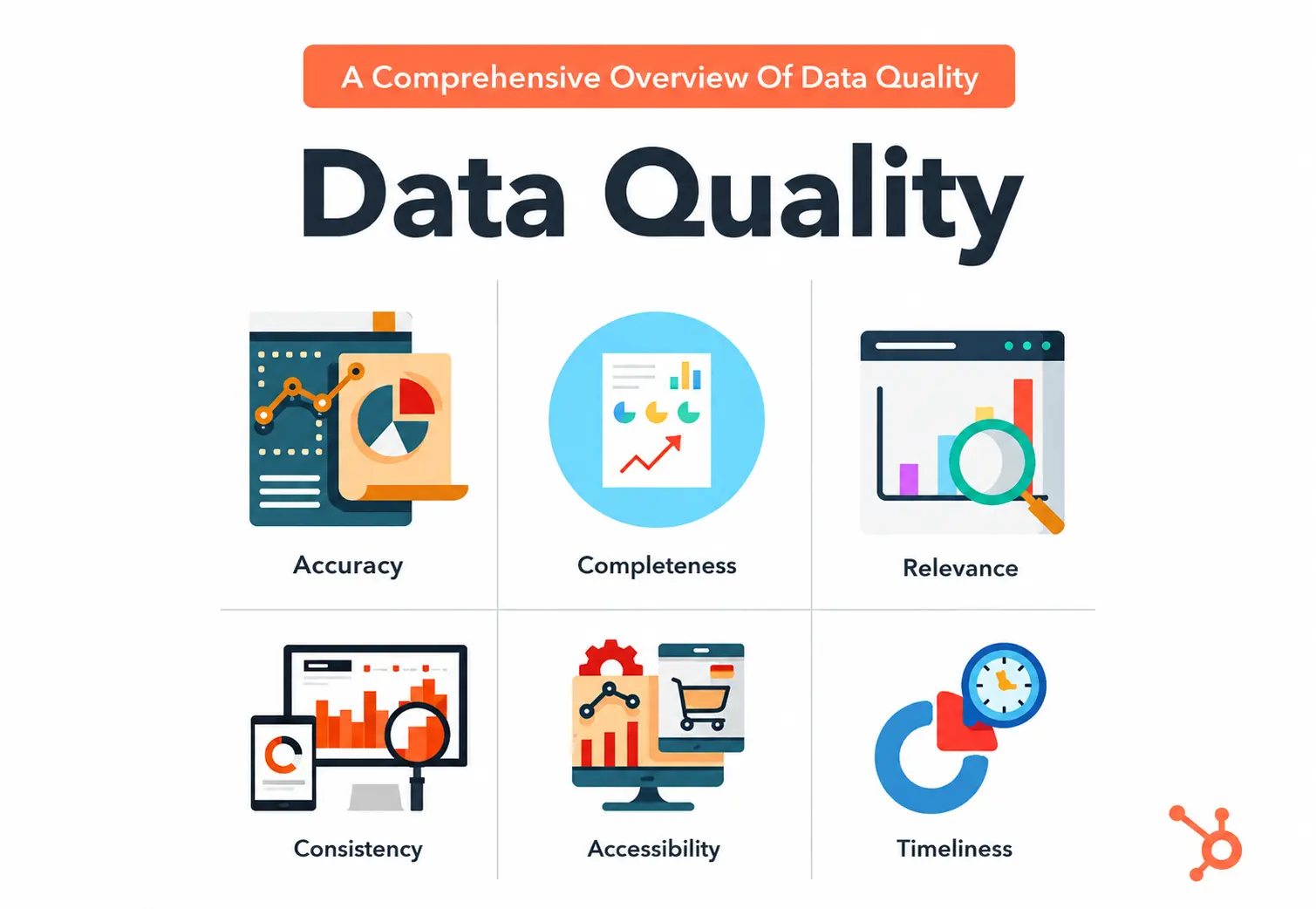
Bad data in a CRM without agents produces bad reports. You open a dashboard, notice the numbers don’t add up, investigate, and fix the source. The feedback loop is slow but it exists. A human catches the problem before it reaches the customer.
Agents remove that feedback loop. They read CRM data and take action, often in real time, often customer-facing. The bad data doesn’t sit in a report waiting to be reviewed. It becomes a prospecting email, a support response, a deal recommendation, or a lead score that routes a contact to the wrong rep.
Three things make this worse in 2026:
Outcome-based pricing compounds the cost. At $0.50 per resolved conversation and $1 per recommended lead, a Customer Agent resolving 1,000 conversations per month on bad data costs $500 in credits for outcomes that may actively damage customer relationships. A Prospecting Agent recommending 500 leads per month from outdated company records wastes $500 on outreach that will never convert. The cost isn’t hypothetical. It shows up on your HubSpot invoice.
MCP servers extend the blast radius. Breeze agents can now read context and act in third-party systems via MCP (Model Context Protocol) connections to tools like Asana, Gong, and G2. An agent acting on bad CRM data doesn’t just make a mistake inside HubSpot. It can make mistakes across every connected system.
Agent actions are harder to audit than human actions. HubSpot added audit cards in January 2026 that show which properties agents modified. But by the time you review the audit card, the action has already happened. Prevention through data quality is cheaper and more reliable than detection through audit logs.
The Two Layers of CRM Data Quality
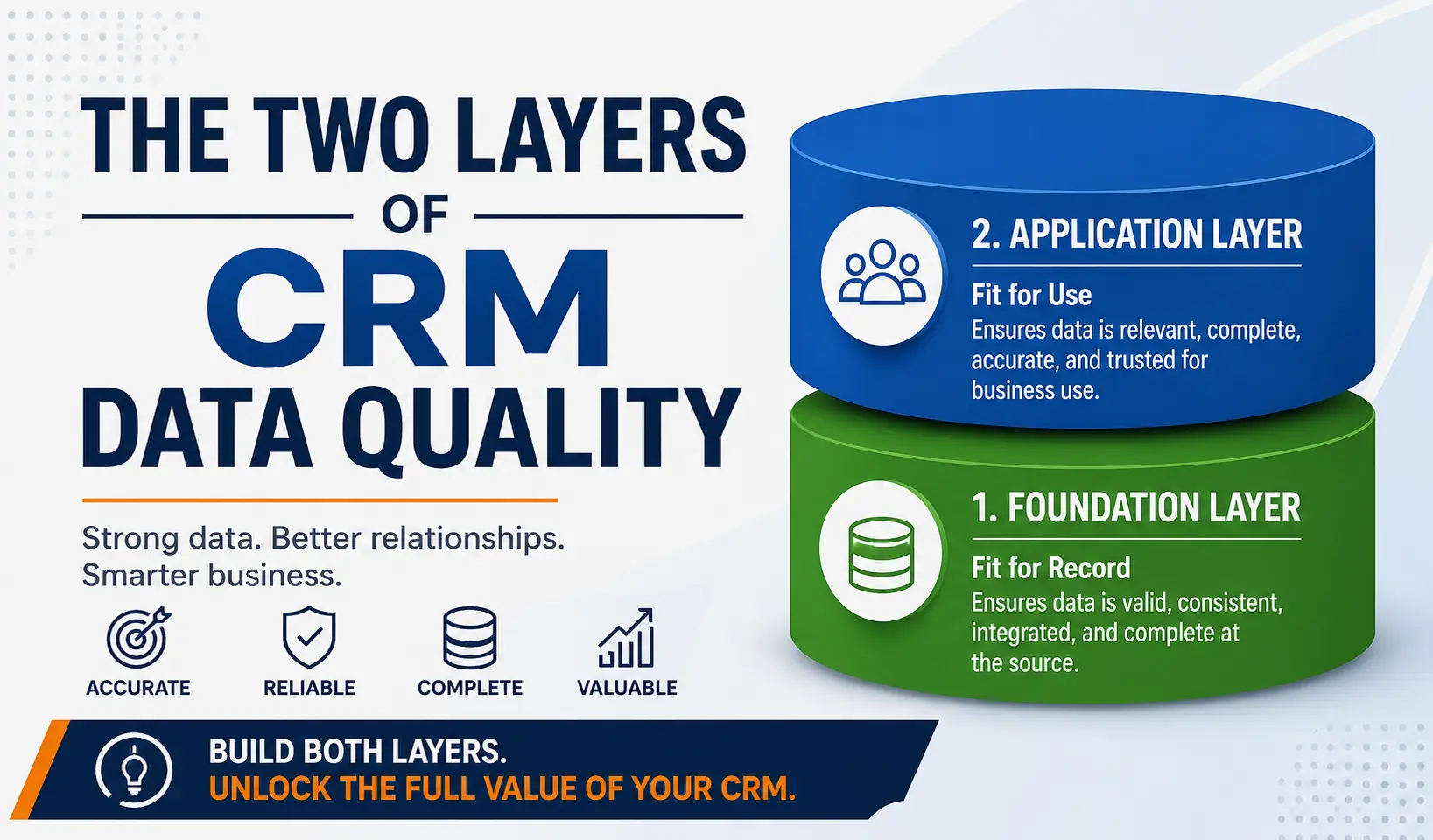
Most data quality guides treat your HubSpot portal as a closed system. They cover duplicate contacts, incomplete properties, and lifecycle stage accuracy. That’s Layer 1, and it matters. But it’s only half the picture.
Layer 1: Internal HubSpot data. Properties, associations, lifecycle stages, knowledge base articles, and records created or managed directly inside HubSpot. This is what Simple Machines, Insycle, and most HubSpot consultants focus on.
Layer 2: Integration-sourced data. Records, properties, and updates flowing into HubSpot from connected systems: ERPs like NetSuite and QuickBooks, CRMs like Salesforce, support tools, billing platforms and vertical software. This is the layer nobody audits for agent readiness and it’s where the worst agent failures originate.
A Breeze agent doesn’t know or care whether a data point was entered by a human, imported from a CSV, or synced from NetSuite at 2am. It treats all CRM data the same. If your integration is syncing stale invoicing data from QuickBooks, the Customer Agent will reference that stale data when responding to a billing inquiry. If your Salesforce sync creates duplicate company records, the Prospecting Agent will prospect both, potentially emailing two contacts at the same company with different messaging.

Turn HubSpot Into A Real-Time SMS Engine with
Message IQ

Two-Way Conversations

Shared Team Inbox

Automation Triggers

Advanced Reporting

Compliance Tools
-
98%
SMS read within 3 min -
78%
Buy from first responder -
21×
More likely to qualify
3–5 min avg response
$45–$50 ROI / $1

*MessageIQ is an IntegrateIQ product – built natively for HubSpot by the same team.
The audit below covers both layers.
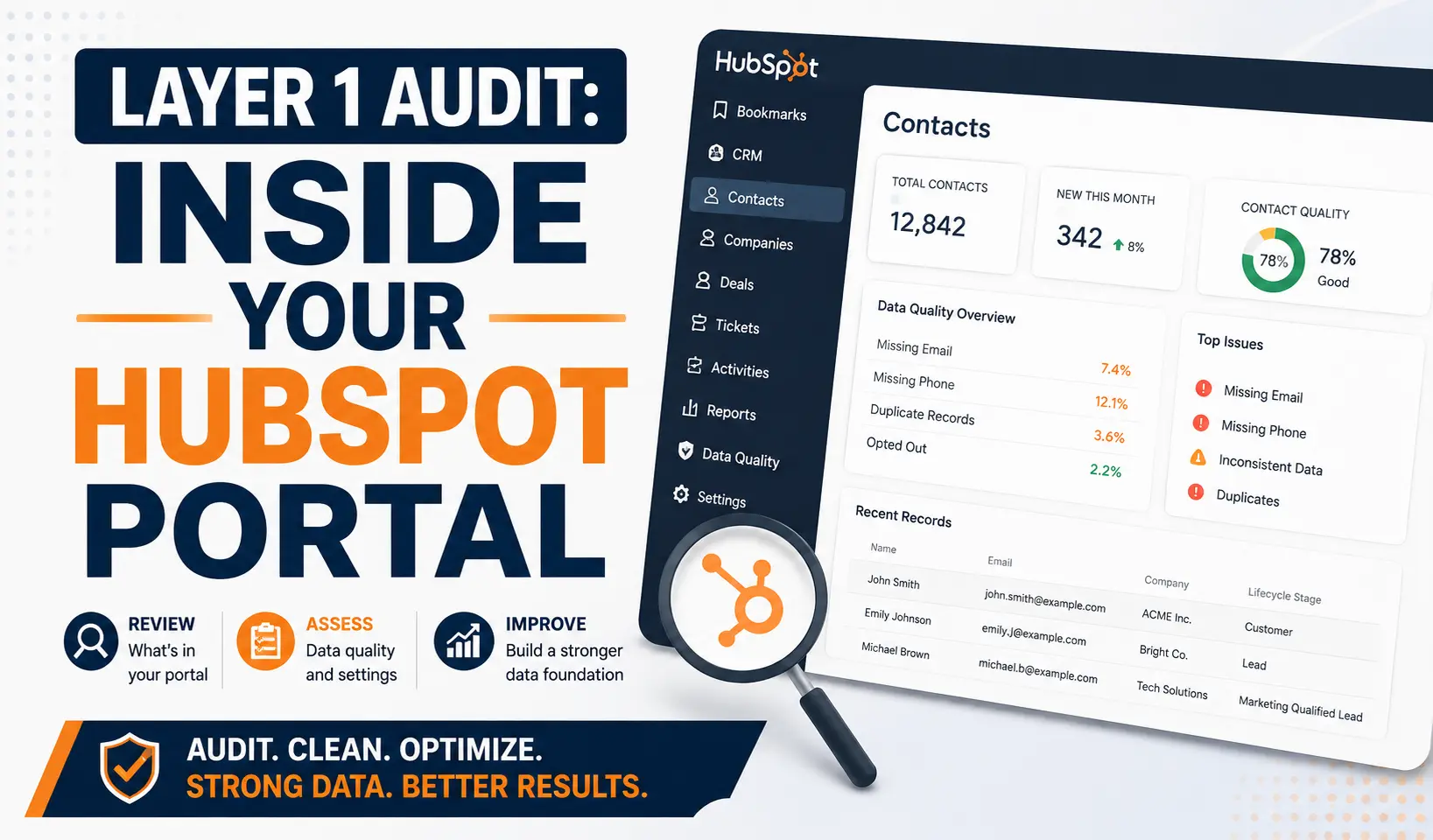
Layer 1 Audit: Inside Your HubSpot Portal
Property Completeness and Standardization
For every property that feeds a Breeze agent, check two things: fill rate (what percentage of records have a value?) and consistency (are the values formatted the same way?). Country fields with a mix of “United States,” “USA,” “US,” and “U.S.” create four different segments where there should be one. Job title fields with free-text entry produce hundreds of variations that make lead scoring unreliable.
Run a HubSpot list filtered to contacts missing values in your critical properties: email, company name, job title, lifecycle stage, lead source. If more than 15% of active contacts are missing any of these, fix it before activating agents. The Prospecting Agent in particular depends on complete company and contact data to generate personalized outreach.
Duplicate Contacts and Companies
B2B databases decay at roughly 30% per year. People change jobs, companies rebrand, and records go stale. HubSpot pricing is partly based on contact tiers, so a database that’s 10 to 20% duplicates means you’re overpaying before agents even enter the equation. With agents, duplicates cause a specific failure: the Prospecting Agent may recommend outreach to both records, resulting in the same person receiving two different emails from your team.
Use HubSpot’s built-in duplicate management tool as a starting point. Filter by email match, then by company name plus first/last name combinations. Merge aggressively. Then check your integration sources (Layer 2) to find where the duplicates are being created.
Lifecycle Stage Accuracy
Lifecycle stage drives lead routing, lead scoring, and which Breeze agents can act on a record. A contact stuck in “Marketing Qualified Lead” who actually closed six months ago will receive prospecting outreach when the Prospecting Agent runs. A contact marked “Customer” who churned last quarter will receive customer-tier support responses from the Customer Agent.
Audit lifecycle stage accuracy by cross-referencing with deal stage. Every contact associated with a closed-won deal should be in “Customer” or “Evangelist.” Every contact with no deal association and no activity in 90+ days should be reviewed for downgrade or removal.
Association Hygiene
Contacts need to be associated with the right companies, and companies with the right deals. If a contact isn’t linked to their company record, the Prospecting Agent loses account context. If deals aren’t associated with the right contacts, Deal Progression can’t recommend accurate next steps.
Run a report on contacts with no company association and companies with no contact associations. In most portals, 5 to 15% of records have broken or missing associations. Fix these before agent activation.
Knowledge Base Quality
The Customer Agent pulls answers from your knowledge base, help documentation, and website content. If those sources contain outdated pricing, deprecated feature descriptions, or contradictory information across articles, the agent will surface those errors in customer-facing conversations. Audit every knowledge base article referenced by your Customer Agent configuration. Check for: outdated screenshots, old pricing, deprecated product names, and conflicting instructions across articles.
Layer 2 Audit: Your Integration Layer
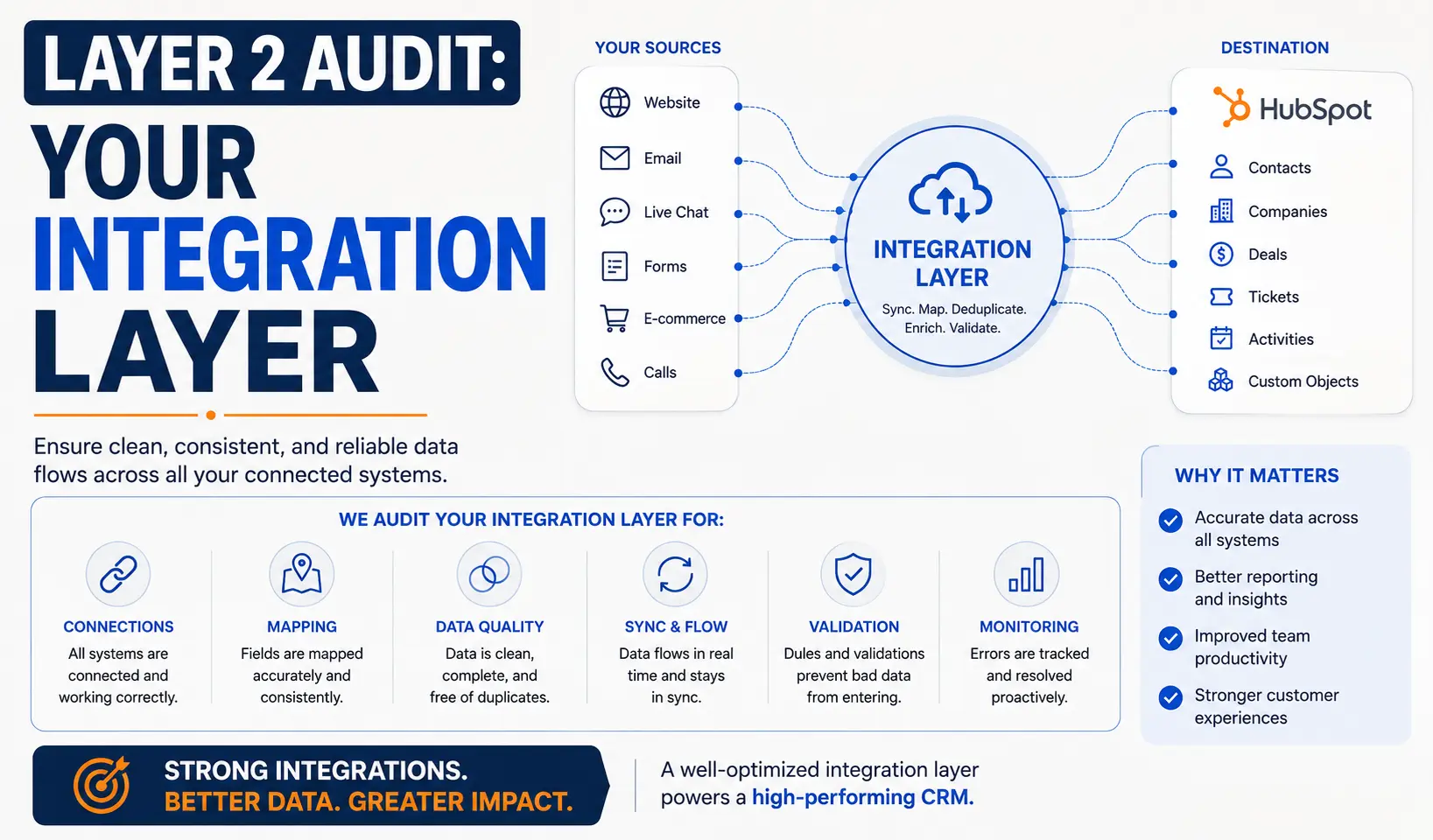
This is the layer most teams skip, and it’s where we see the worst agent failures in our HubSpot integration work.
Field Mapping Accuracy
Every integration maps fields from the external system to HubSpot properties. Over time, these mappings drift. New fields get added to the source system but never mapped to HubSpot. Existing fields change format in the source system (a phone number field that used to include country codes now doesn’t). Fields that were mapped correctly at launch now point to deprecated HubSpot properties.
Pull your integration’s field mapping documentation (or export it from your middleware). Walk through every mapped field and confirm: the source field still exists, the target HubSpot property still exists, the data types match, and the transformation rules (if any) still apply.
Sync Direction and Frequency
A one-way sync from your ERP to HubSpot means updates made in HubSpot don’t flow back. If a rep updates a contact’s phone number in HubSpot, but the ERP is the system of record, the next sync overwrites the rep’s update with the old number. The Prospecting Agent then uses the old number.
A batched sync that runs every 15 minutes means agents could act on data that’s up to 15 minutes stale. For most use cases that’s fine. For a Customer Agent responding to a billing inquiry, 15 minutes of stale invoice data could mean telling a customer they owe money they already paid.
Document your sync direction (one-way, bi-directional, or selective bi-directional) and frequency for every integration. Flag any integration where agents will act on time-sensitive data (billing, support tickets, inventory) and evaluate whether the sync frequency is fast enough.
Conflict Resolution Rules
When the same field is updated in both HubSpot and the external system between syncs, which value wins? If your integration doesn’t have explicit conflict resolution rules, the answer is usually “whichever synced last,” which is effectively random. Agents acting on randomly resolved data will produce randomly accurate outputs.
For every bi-directional integration, confirm: which system is the source of truth for each field, what happens when both systems update the same field, and whether conflict resolution is logged so you can audit it.
Integration-Created Duplicates
Integrations are one of the top sources of duplicate records in HubSpot. A CRM migration that doesn’t properly match existing contacts creates duplicates for every migrated record. A billing integration that creates new contact records instead of matching to existing ones doubles your database over time.
For each integration, test the matching logic: create a test record in the source system that matches an existing HubSpot contact. Trigger a sync. Confirm it matches to the existing record rather than creating a new one. If it creates a duplicate, fix the matching rules before activating agents.
Data Transformation Rules
Source systems often store data in formats that don’t match HubSpot’s expectations. Xero might store currency values as strings with symbols (“$1,234.56”). HubSpot expects plain numbers (1234.56). Your ERP might store dates as DD/MM/YYYY while HubSpot uses MM/DD/YYYY. Without transformation rules, these mismatches create properties that look correct to a human scanning a dashboard but break when an agent tries to use them in calculations or comparisons.
Error Handling and Sync Failure Monitoring
Integrations fail. APIs time out, rate limits get hit, authentication tokens expire. When a sync fails, records don’t update. If nobody notices the failure, agents act on stale data for however long the sync stays broken. We’ve seen integrations fail silently for weeks before anyone catches it.
Confirm that every integration has: failure alerting (email or Slack notification on sync errors), a sync health dashboard you check at least weekly, and retry logic for transient failures. If your integration platform doesn’t support these natively, build them.
Agent-Specific Data Requirements
Each Breeze agent pulls from different data sources and has different sensitivity to data quality issues.
| AGENT | PRIMARY DATA SOURCES | HIGHEST-RISK DATA ISSUES |
| Customer Agent | Knowledge base, help docs, website content, ticket history, contact properties | Outdated KB articles, stale pricing, contradictory info across docs, missing ticket context from integrated support tools |
| Prospecting Agent | Company records, contact properties, deal history, intent signals, CRM activity timeline | Duplicate companies, incomplete contact profiles, outdated company data from ERP sync, stale deal associations |
| Data Agent | All CRM properties, association rules, workflow definitions | Inconsistent property formats, broken associations, deprecated custom properties still referenced in workflows |
| Deal Progression | Pipeline stages, deal properties, activity timeline, call transcripts | Deals stuck in wrong stages, missing close dates, incomplete activity logging, stale deal amounts from billing sync |
Before activating a specific agent, audit the data sources listed in its row. A clean portal with a dirty knowledge base will still produce bad Customer Agent responses. A clean knowledge base with duplicate company records will still produce embarrassing Prospecting Agent outreach.
The 15-Point Pre-Activation Checklist
Run this audit before activating any Breeze agent. Items 1 through 8 cover internal HubSpot data. Items 9 through 15 cover the integration layer.
Internal HubSpot Data
- Property fill rate: Critical properties (email, company, job title, lifecycle stage, lead source) are populated on 85%+ of active contacts.
- Property consistency: Country, state, industry, and job title fields use standardized values, not free-text variations.
- Duplicate contacts: Run HubSpot’s duplicate management tool. Merge all confirmed duplicates. Target: less than 3% duplicate rate.
- Duplicate companies: Check for company name variations (Acme Inc. vs Acme, Inc. vs ACME). Merge and standardize.
- Lifecycle stage accuracy: Cross-reference lifecycle stages with deal stages. Every closed-won contact is “Customer.” Every churned contact is updated accordingly.
- Association hygiene: Less than 5% of active contacts have no company association. All open deals are associated with the right contacts and companies.
- Knowledge base audit: Every article the Customer Agent references contains current pricing, current product names, and no contradictory instructions.
- Stale record cleanup: Contacts with no activity in 12+ months are either re-engaged, archived, or excluded from agent targeting.
Integration Layer
- Field mapping review: Every integration’s field mappings are current. No orphaned mappings pointing to deprecated properties in either system.
- Sync direction documented: For every integration, you know which direction data flows and which system is the source of truth for each field.
- Sync frequency evaluated: Integrations feeding time-sensitive data (billing, support, inventory) sync frequently enough for agent use cases.
- Conflict resolution rules set: Every bi-directional integration has explicit rules for which system wins when both update the same field.
- Duplicate creation test: You’ve tested each integration’s matching logic by syncing a test record that matches an existing HubSpot contact. No false duplicates created.
- Data transformation confirmed: Currency, date, phone, and address formats transform correctly between systems. No format mismatches in HubSpot properties.
- Sync failure monitoring active: Every integration has failure alerting and a health dashboard reviewed at least weekly. Retry logic handles transient errors.
What Happens When You Skip the Audit
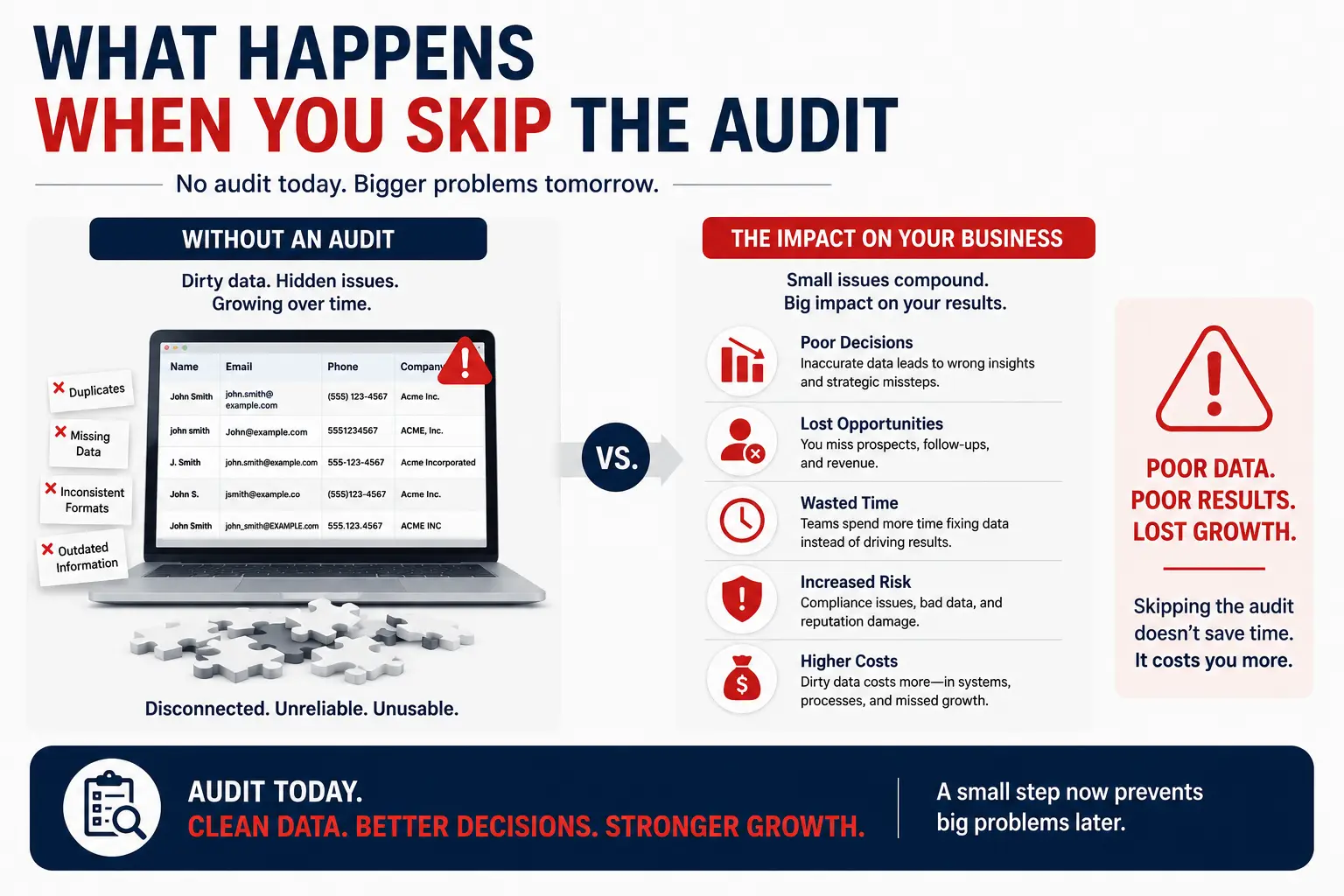
We’re not speculating here. These are failure patterns we’ve seen across client portals:
Prospecting Agent emails the wrong person at a target account. Cause: the Salesforce sync created a duplicate company record with a different primary contact. The agent prospected both records and sent conflicting outreach to two people at the same company on the same day. Cost: $2 in wasted credits plus a burned relationship with the account.
Customer Agent quotes pricing that changed three months ago. Cause: the knowledge base article on pricing hadn’t been updated since the Q1 price increase. The agent confidently told a customer the old price. The customer expected that price on their next invoice. Cost: $0.50 in credits plus a support escalation, a pricing exception, and a frustrated customer.
Deal Progression recommends closing actions on a dead deal. Cause: the deal was closed-lost in the billing system but the integration sync had been failing silently for two weeks. HubSpot still showed the deal as open. The agent recommended follow-up actions that the rep executed before realizing the deal was already lost. Cost: wasted rep time and damaged credibility with the prospect.
Data Agent enriches records with conflicting information. Cause: company revenue data synced from the ERP conflicted with the Data Agent’s enrichment data from HubSpot’s own sources. Both values persisted in different properties. Lead scoring used one, reporting used the other. Nobody noticed until the CFO questioned the pipeline forecast.
In every case, the fix was cheaper than the failure. A data audit before agent activation would have caught each of these issues in hours, not weeks.
Frequently Asked Questions
How long does a CRM data audit take before activating Breeze agents?
For a portal with fewer than 50,000 contacts and 2 to 3 integrations, expect 2 to 3 days of focused work: one day on internal HubSpot data, one day on the integration layer, and a half-day to document findings and prioritize fixes. Larger portals or complex integration architectures take proportionally longer. The audit itself is faster than fixing the issues it surfaces.
Which Breeze agent is most sensitive to data quality?
The Prospecting Agent, because it acts on company and contact data to generate outbound outreach. Bad data produces emails to the wrong people, at the wrong companies, with the wrong context. Customer Agent is a close second because its errors are directly customer-facing and damage trust immediately.
Can I run Breeze agents on a subset of data first?
Yes, and you should. HubSpot lets you configure agent targeting to specific contact lists, deal pipelines, or ticket queues. Start with a clean, audited segment. Measure agent accuracy for 2 to 4 weeks before expanding scope. This is the single most effective way to catch data quality issues before they scale.
How do integrations affect Breeze agent accuracy?
Integrations are one of the top sources of dirty CRM data: duplicates from poor matching logic, stale records from infrequent syncs, format mismatches from missing transformation rules, and silent failures that leave agents acting on outdated information. Every integration feeding your HubSpot portal is a potential source of agent errors.
What’s the cost of running Breeze agents on dirty data?
With outcome-based pricing, every bad agent action has a direct cost: $0.50 per bad Customer Agent resolution, $1 per bad Prospecting Agent lead recommendation. Beyond credits, the indirect costs include burned prospect relationships, customer support escalations, inaccurate pipeline forecasts, and rep time wasted on agent-generated tasks that shouldn’t exist.
How often should I re-audit after activation?
Run a full audit quarterly. Run a targeted check on integration sync health weekly. B2B contact data decays at roughly 30% per year, which means the data you audited today is already degrading. Set up automated monitoring for the highest-risk areas: sync failure alerts, duplicate detection workflows, and property fill rate dashboards.
See your 12-month revenue impact with HubSpot CRM
Enter your current numbers — visitors, leads, deal size — and get a personalized projection based on real HubSpot customer benchmarks.

Preparing Your Data for the Agent Era
Breeze agents are production-ready tools with real business impact. That impact is positive when your data is clean and connected, and negative when it’s not. The audit above takes days. The agent failures it prevents take weeks to diagnose and months to recover from.
We’ve built 300+ custom integrations, processed 20 billion+ records, and maintained a 98.5% client retention rate doing exactly this work: making sure the data flowing between HubSpot and your business systems is accurate, current, and structured for whatever HubSpot ships next. Our typical engagement goes from kickoff to delivery in 8 weeks.
If you want to understand where your integrations stand before activating Breeze agents, our integration process starts with a technical audit that covers both layers described in this article. We also run AEO audits for teams optimizing how they show up in AI-generated search results, where entity consistency across connected systems is equally critical.



Table of Contents
- Why Data Quality Hits Different with Agents
- The Two Layers of CRM Data Quality
- The audit below covers both layers.
- Layer 2 Audit: Your Integration Layer
- Agent-Specific Data Requirements
- The 15-Point Pre-Activation Checklist
- What Happens When You Skip the Audit
- Frequently Asked Questions
- How long does a CRM data audit take before activating Breeze agents?
- Which Breeze agent is most sensitive to data quality?
- Can I run Breeze agents on a subset of data first?
- How do integrations affect Breeze agent accuracy?
- What's the cost of running Breeze agents on dirty data?
- How often should I re-audit after activation?
- Preparing Your Data for the Agent Era

