

Explore this article with AI:
By Integrate IQ, HubSpot Diamond Partner, 300+ platforms integrated, 98.5% client retention
Most CRMs stop being useful the moment a company grows past a few dozen users. Data splits across departments, records get duplicated three different ways and every team ends up trusting a different spreadsheet more than the CRM itself.
HubSpot Enterprise CRM is built to be the exception, a single system that manages customer data, automation, permissions, and integrations at scale, instead of adding one more disconnected tool to the pile.
But buying the Enterprise tier doesn’t solve that problem by itself. We’ve built 300+ HubSpot integrations and moved 20 billion records a year across client environments, and the pattern is always the same: the value shows up when HubSpot is configured around how the business actually runs and connected to the systems teams already depend on, not when it’s left running out of the box.
This guide breaks down what HubSpot Enterprise CRM actually includes, why enterprises need it, how to integrate it correctly, and where most implementations go wrong.
Free estimator
Know what your HubSpot project costs before the first call.
Select your services and get a transparent price range in minutes. No sales call needed to get a number.
Connect HubSpot to your ERP, billing platform, or database field mapping, custom logic, and support included.
Pipelines, workflows, email templates, and reporting configured for how your team actually works.
Live, role-based sessions with recordings and written guides built around a custom plan for your team.
HubSpot Partner
Client retention
Platforms integrated
What Is HubSpot Enterprise CRM?
HubSpot Enterprise CRM is the tier built for organizations that have outgrown basic contact management and need real controls: automation at scale, custom data structures, granular permissions, and a platform that can sit at the center of the business instead of on the side of it.
The mistake most companies make is treating the CRM as a database. It isn’t one. Done right, it’s the connective layer between every system that touches customer data. In our client base, that typically means connecting HubSpot to:
- ERP systems (NetSuite, SAP, Microsoft Dynamics, Epicor)
- Accounting and billing platforms (QuickBooks, Sage Intacct, Chargebee)
- Marketing applications and ad platforms
- Customer support and ticketing tools
- Sales engagement and prospecting tools
- Data warehouses and BI tools
- Communication platforms (Slack, Teams, SMS)
- Subscription and billing systems
- Proprietary and legacy internal applications
The goal isn’t moving data for the sake of it. It’s making sure the right team sees the right information at the right moment, without someone re-typing it into a second system first.
Why Do Businesses Need an Enterprise CRM?
A CRM that works fine for a 10-person sales team starts breaking down fast once an organization adds departments, business units, and real reporting requirements. We see this constantly with clients before they come to us. The usual suspects:
- Multiple departments working off different definitions of a “customer”
- Large, messy databases with duplicate and outdated records
- Complex, multi-stage sales processes across business units
- Permission requirements that a flat CRM structure can’t enforce
- A tech stack with a dozen-plus systems that don’t talk to each other
- Reporting that requires manually stitching data from five places
- Automation needs that exceed what a standard workflow tool can handle
Without a scalable strategy, data fragments across spreadsheets, shadow systems, and departmental tools. That’s what produces the problems we get called in to fix: duplicate records, conflicting customer data, manual re-entry, and workflows that silently break. An enterprise CRM doesn’t eliminate this risk on its own. It gives you the structure to actually control it.

Turn HubSpot Into A Real-Time SMS Engine with
Message IQ

Two-Way Conversations

Shared Team Inbox

Automation Triggers

Advanced Reporting

Compliance Tools
-
98%
SMS read within 3 min -
78%
Buy from first responder -
21×
More likely to qualify
3–5 min avg response
$45–$50 ROI / $1

*MessageIQ is an IntegrateIQ product – built natively for HubSpot by the same team.
Key HubSpot Enterprise CRM Features
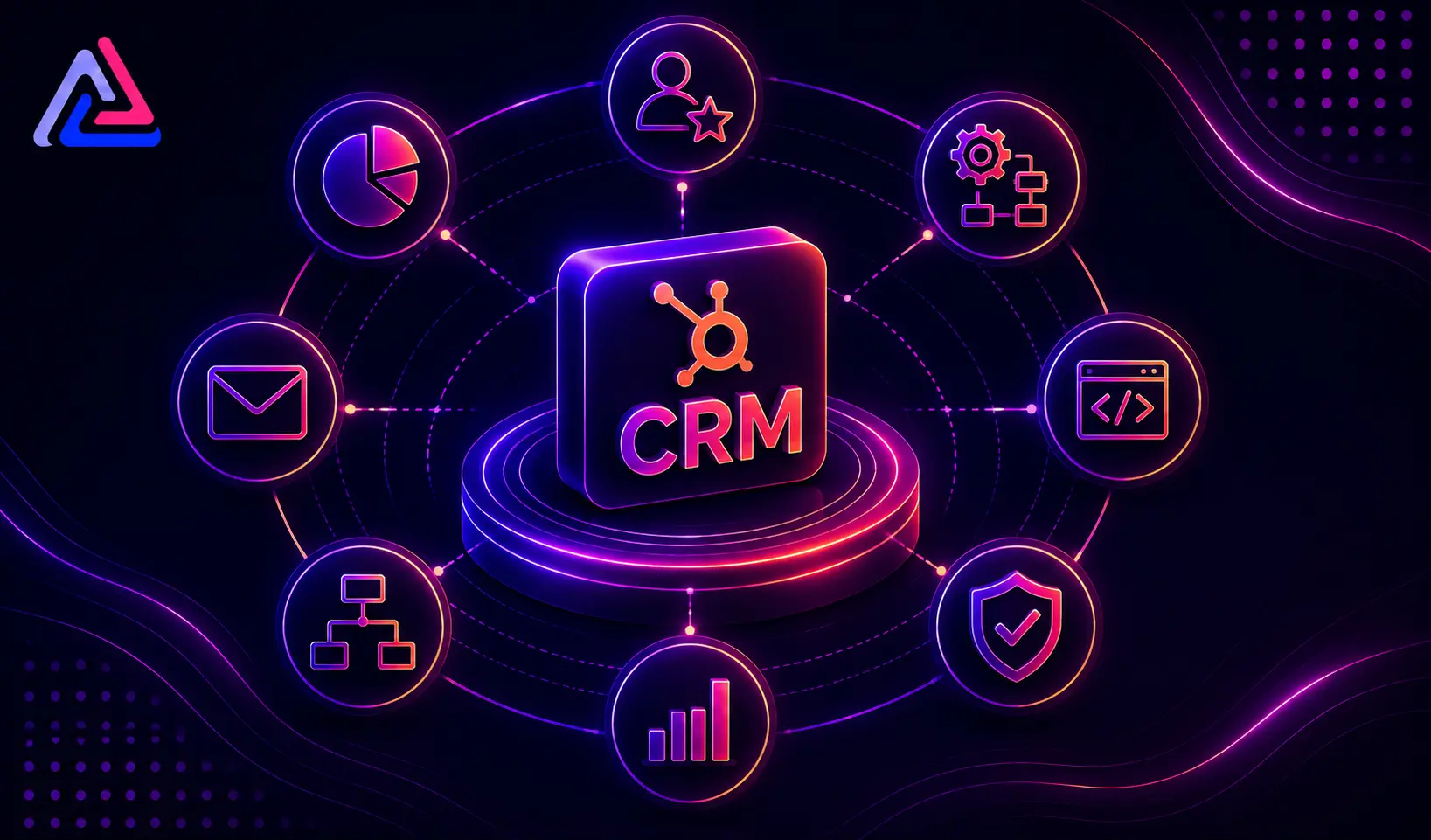
The value of Enterprise CRM comes from five things working together: automation, custom data structures, governance, multi-team support, and integration. Skip any one of them and the platform underperforms.
Advanced CRM Automation
Enterprise teams run processes that are too complex, and too high-volume, to manage by hand. Automation should trigger on real signals: lifecycle stage changes, deal events, service tickets, or updates to specific CRM properties. A typical automated sequence we build looks like this:
- New customer record is received
- Required fields are validated
- CRM properties are updated automatically
- Related records are created or updated
- The customer is routed to the correct team
- Data is pushed to the connected business system
- The responsible employee is notified
- Reporting is refreshed in real time
Set up this way, it cuts hours of manual work per week and keeps the process consistent no matter who’s on shift.
Custom Objects and Data Structures
Standard CRM records (contacts, companies, deals, tickets) don’t cover every business model. Companies managing policies, subscriptions, locations, memberships, or projects usually need custom objects to represent that data accurately.
Here’s where most teams overcorrect: they build custom objects for everything. Don’t. Every custom object and property should have a clear owner and a clear business reason. Before building anything, map the full data model and decide what actually belongs in HubSpot versus what should stay in the system of record.
User Permissions and Governance
The bigger the org, the more roles touch the CRM, and the more damage a governance gap can do. A sales rep needs deal and contact access. An operations employee needs a completely different slice of the data. Multiply that across regions and business units and governance stops being optional.
A governance strategy needs clear answers to:
- Who can view specific data
- Who can edit records, and which ones
- Which teams own which processes
- How data should be structured
- Which automations are allowed to run
- How integrations are permitted to operate
- How changes get documented and audited
Skip this and CRM customization turns into technical debt within a year.
Multi-Team and Multi-Business-Unit Operations
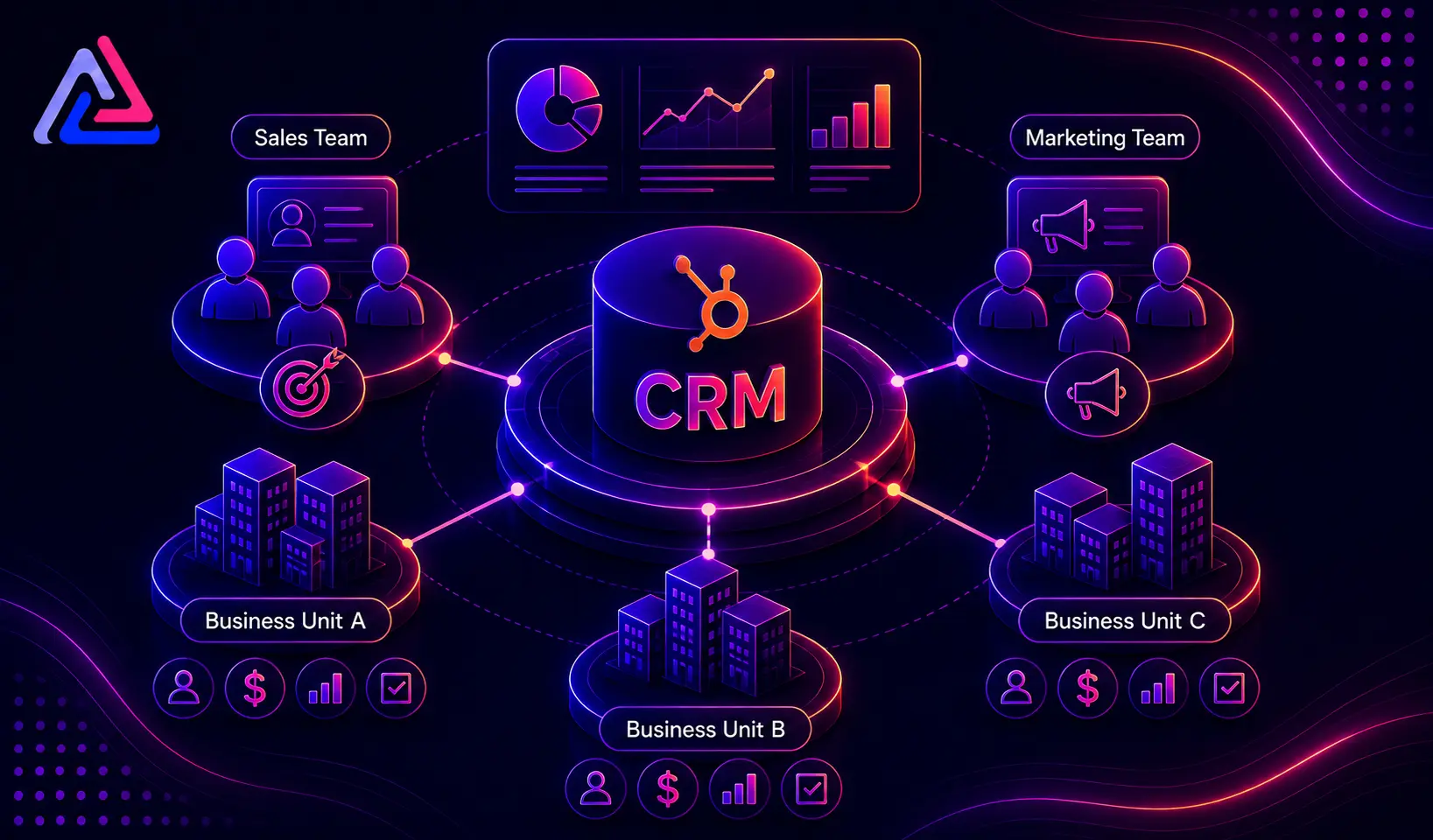
Marketing runs lead gen. Sales runs the pipeline. Service handles issues. Operations manages fulfillment. Each team has its own process, but they can’t be running on disconnected databases. A properly architected HubSpot Enterprise environment gives every team a shared customer-data foundation while still letting them operate the way their function requires.
AI and Agentic Automation
HubSpot’s Spring 2026 release pushed the platform further into agentic territory: Breeze Agents, an Agentic Engagement Object for tracking AI-driven work inside deals, and Smart Deal Progression, which flags a deal-stage change for a rep to approve rather than making it outright. Across live implementations, the pattern holds: AI drafts, a human signs off, nothing moves without approval. That’s a design choice, not a limitation yet, and it matters for integration work, because an agent with write access to CRM records needs the same scoping and audit trail you’d require of any other system touching production data.
None of this performs well on messy data. Breeze pulls its recommendations from whatever is already sitting in HubSpot, so agents layered on top of duplicate records, inconsistent lifecycle stages, or unmapped custom objects will underperform no matter how good the underlying model is. The governance work in the section above is the prerequisite for getting value out of AI, not a separate project.
Enterprise Security and Compliance
Enterprise is also where HubSpot’s security controls stop being optional: single sign-on, two-factor authentication, SOC 2 compliance, comprehensive audit logging, inactive session timeouts, and per-tenant encryption. HubSpot’s platform also supports customers operating under HIPAA, though compliance itself stays the customer’s responsibility. A license doesn’t confer it automatically.
For healthcare, financial services, or any business handling regulated data, these controls usually decide whether HubSpot is viable at all, long before feature comparisons come into play. They also carry straight through to integration work: any external system reading from or writing to HubSpot inherits the same access and audit requirements as the CRM itself.
HubSpot Enterprise CRM Pricing in 2026
Enterprise pricing is per-hub, not one flat number, and it moved again after HubSpot’s post-INBOUND 2025 price refresh:
| Hub / Product | Enterprise Starting Price | Notes |
| Sales Hub Enterprise | ~$150/seat/mo (annual billing) | Plus a mandatory onboarding fee near $7,000 |
| Service Hub Enterprise | ~$150/seat/mo (annual billing) | Same seat-based model as Sales Hub |
| Marketing Hub Enterprise | ~$3,600/mo | Flat platform fee, scales with marketing contact tier |
| CMS Hub Enterprise | ~$1,500/mo | Adds multi-site, memberships, hierarchical teams |
| Data Hub Enterprise (formerly Operations Hub) | ~$2,000/mo | Bi-directional sync, custom-coded actions, sandboxes |
| Full Enterprise Customer Platform (bundle) | ~$4,300/mo (7 seats) | Bundles every hub at Enterprise with a discount vs. buying separately |
These numbers move. HubSpot revises its price list several times a year, and promotions, billing terms, and seat count all change the final invoice. Confirm current pricing with HubSpot or a partner quote before you budget against it.
The license fee is rarely the biggest line item anyway. Custom integrations for enterprise environments typically run $15,000–$150,000 depending on complexity, with most mid-market builds landing in the 8–12 week range from kickoff to go-live (see our integration process). Budget for the integration and the implementation, not just the seat cost.
HubSpot Enterprise CRM Integration
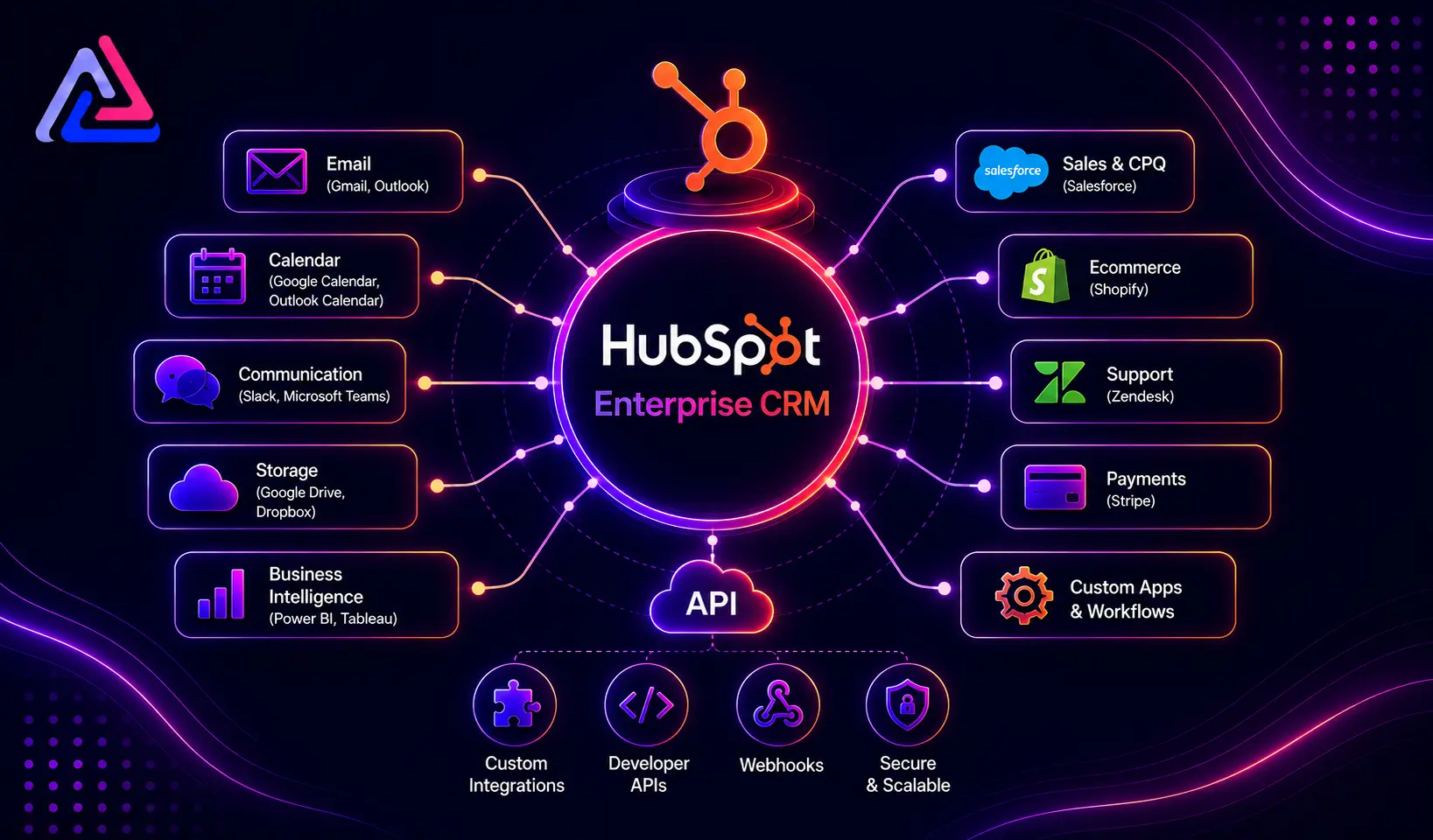
Integration is where most Enterprise CRM projects succeed or fail, full stop. Almost no organization is starting from a clean slate; replacing every existing system isn’t realistic or necessary. HubSpot needs to connect to what’s already there.
A typical integration architecture we build looks like:
HubSpot → ERP → Finance → Customer Service → Data Warehouse
or:
Website → HubSpot → Sales → Contract System → Billing
The right architecture depends entirely on your systems and business requirements. There’s no template that fits every company.
What Should You Integrate With HubSpot?
There’s no universal checklist. The right integration list starts with one question: where does critical customer or operational data actually live today? In our client work, these categories come up the most:
| System | Typical Integration Use |
| ERP | Customers, orders, products, financial data |
| Accounting | Invoices, payment status, customer records |
| Marketing tools | Leads, campaigns, engagement data |
| Support platforms | Tickets, service status, interaction history |
| Data warehouses | Centralized analytics and reporting |
| Communication tools | Calls, SMS, notifications |
| Subscription platforms | Plans, renewals, billing cycles |
| Internal applications | Business-specific operational data |
The question that actually matters isn’t “can this integrate with HubSpot?” Almost everything with an API can. The real question is: which data needs to move, when, and which system is the source of truth?
Choosing the Right HubSpot Integration Architecture
There are three ways to build this. We’ve shipped all three. Here’s when each one holds up and when it doesn’t.
Native Integrations
The fastest option when HubSpot’s App Marketplace already covers what you need. Setup typically takes 5–30 minutes through a guided OAuth flow.
- Good for: standard tools, simple data flow, no custom logic required
- Limitation: you usually can’t control field mapping, sync direction, or transformation logic. If the native connector doesn’t do what you need, it can’t be extended
iPaaS / Middleware Integrations
Platforms like Zapier or Workato connect multiple systems through configurable workflows without custom development. We break down when this approach holds up versus a custom build in more detail elsewhere.
- Good for: connecting several systems quickly without building from scratch
- Limitation: complex business logic still requires custom work on top, plus ongoing monitoring and governance as workflows multiply
Custom API Integration
This is where we do most of our work. Custom integrations give full control over data mapping, business logic, sync rules, and error handling. We turn to a custom build when:
- There’s no native integration for the application
- Data structures are highly customized or non-standard
- Complex transformation rules are required
- Real-time, bi-directional sync matters
- Multiple systems need to interact simultaneously
- Existing tools can’t handle the required workflow
Our standard custom build runs 8–12 weeks from kickoff to go-live, including discovery, build, testing, and training. The right choice ultimately comes down to complexity, budget, scalability, and how much ongoing maintenance you’re prepared to own.
HubSpot Enterprise CRM Data Synchronization
Sync sounds simple until two systems try to update the same record at the same time. Say a customer exists in HubSpot, an ERP, and an accounting platform. If their address changes, which system wins? If an order is created, does HubSpot create a matching record automatically? What happens when the same customer already exists in both places?
These questions need answers before a single line of integration code gets written.
Define the Source of Truth
Every major data field needs one clearly assigned owner. A model we use often:
| Data | Source of Truth |
| Customer identity | CRM |
| Order information | ERP |
| Invoice status | Accounting system |
| Product information | ERP |
| Marketing engagement | Marketing platform |
Ownership models vary by business, but skipping this step is the single fastest way to end up with conflicting updates and unpredictable sync behavior.
Establish Data Mapping
Data mapping defines exactly how a field in one system corresponds to a field in another:
| HubSpot | External System |
| First Name | Customer First Name |
| Last Name | Customer Last Name |
| Company | Account Name |
| Deal Amount | Opportunity Value |
| Lifecycle Stage | Customer Status |
Complex integrations also need transformation logic, conditional rules, formatting standards, validation, and relationship mapping, none of which a spreadsheet-level mapping document will catch on its own.
HubSpot Enterprise CRM Automation
Integration gets far more valuable once it’s paired with automation. Instead of just syncing data, incoming information should trigger the next business step automatically. Two examples we build regularly:
New customer → HubSpot record created → ERP updated → Account assigned → Internal notification → Onboarding workflow starts
Deal closed → Customer record updated → Contract system notified → Billing initiated → Customer success team assigned
This is the shift that turns a CRM from a place where reps log activity into an operational system that runs parts of the business on its own.
Common HubSpot Enterprise CRM Implementation Challenges
Half of our clients come to us after a failed or stalled integration. The failure points are almost always the same five things.
Poor Data Quality
Duplicate records, inconsistent formatting, and outdated fields quietly erode CRM value. Clean and validate data before any large-scale migration or sync, not after.
Unclear Requirements
Building integrations before mapping the actual business process is the #1 cause of scope creep we see. Document the current workflow and the target workflow before development starts.
Over-Customization
Customization solves real problems, until there’s so much of it that nobody can maintain the system. Every custom object, property, workflow, and integration needs a specific business justification.
Weak Error Handling
Integrations fail. APIs go down, required fields go missing, records fail validation. Every integration we build ships with logging, retry logic, and alerting baked in from day one, not bolted on after the first outage.
No Monitoring
An integration can look fine while quietly failing in the background for weeks. Enterprise environments need active monitoring so a technical team catches sync failures before they become a business problem.
How to Build a Scalable HubSpot Enterprise CRM Strategy
Start with the business process, not the technology stack. Here’s the sequence we run with every client.
Step 1: Audit Your Existing Systems
- What data each system stores
- Which teams depend on it
- Which processes break without it
- Whether it exposes an API
- Where duplicate information already exists
Step 2: Map Your Business Processes
Lead → Qualification → Opportunity → Contract → Customer → Renewal
Then identify exactly which system participates at each stage.
Step 3: Define Your Data Model
Decide which records, properties, relationships, and objects actually need to live in HubSpot. Storing everything in the CRM just because you can is how bloat happens.
Step 4: Establish Integration Rules
- Source of truth
- Sync direction and frequency
- Data transformations
- Error handling
- Duplicate management and record matching
- Required fields
Step 5: Build and Test
Test against real business scenarios, not just the happy path. Successful transactions, missing data, duplicate records, API failures, and unexpected inputs all need coverage before go-live.
Step 6: Monitor and Optimize
Integration work doesn’t end at launch. Systems change, business processes evolve, and integrations need ongoing tuning to keep pace.
Why Work With a HubSpot Enterprise CRM Integration Partner?
Enterprise CRM work is rarely “connect two apps.” It’s architecture, API development, data migration, automation design, governance, and ongoing optimization, usually all at once.
The right partner should be able to:
- Plan the CRM architecture
- Identify what actually needs to integrate
- Design the data model
- Map data between systems accurately
- Build and maintain custom integrations
- Configure automation end to end
- Clean up and validate data quality
- Test complex, multi-system workflows
- Monitor integrations proactively
- Continuously optimize existing CRM processes
A partner who only understands the technology, and not the business process behind it, will ship something that technically works and still fails your team.
How Integrate IQ Helps With HubSpot Enterprise CRM
We’re a HubSpot Diamond Partner that’s built 300+ integrations, moved 20 billion records a year, and holds a 98.5% client retention rate. We don’t treat integration as data transfer. We build the CRM ecosystem your business actually operates on.
We support organizations with:
- HubSpot integration strategy
- Custom API integrations
- CRM data migration
- Data mapping and transformation
- Workflow automation
- Third-party application integrations
- Custom CRM development
- Integration troubleshooting, including fixing builds other vendors abandoned
- Ongoing CRM optimization
We’ve shipped this exact pattern before: a mortgage lender running Encompass, a staffing firm on Avionté, a lawn care operator on RealGreen, and a nonprofit connecting Salesforce to Route4Me.
Whether you need HubSpot connected to an ERP, an accounting platform, or a proprietary internal system, the architecture should be scoped around your requirements, not a generic template.
Need help planning your HubSpot Enterprise CRM integration?
Is HubSpot Enterprise CRM Right for Your Business?
HubSpot Enterprise CRM is a strong fit for organizations that need a centralized customer platform with real automation, data governance, and integration depth. But the platform is only half the equation.
The bigger gains come from how the CRM is architected, how data is structured, how systems talk to each other, and how much of the process is actually automated.
If your team is dealing with disconnected systems, manual data entry, duplicate records, or inconsistent customer information, that’s not a HubSpot problem. It’s an architecture problem. A well-planned Enterprise CRM implementation gives your team a foundation that’s actually built to scale, instead of one that breaks the next time you add a system.
If you’re weighing HubSpot against the alternatives at the enterprise tier, that decision usually comes down to integration depth rather than a feature checklist. See how it stacks up against Salesforce, NetSuite, or Microsoft Dynamics 365.
Frequently Asked Questions
What is HubSpot Enterprise CRM?
HubSpot Enterprise CRM is the enterprise-tier environment built to manage customer data, teams, automation, governance, and connected business processes at scale.
What can HubSpot Enterprise CRM integrate with?
Practically any system with an API: ERP, accounting, marketing, customer service, communication tools, data warehouses, and custom internal applications. We’ve built integrations for over 300 platforms, including systems with no off-the-shelf connector.
Do enterprises need custom HubSpot integrations?
Not always. Native integrations or middleware can handle simpler requirements. Custom API development becomes necessary once you have complex data models, non-standard workflows, or requirements the marketplace simply doesn’t cover.
How do I plan a HubSpot Enterprise CRM integration?
Audit your systems, map your business processes, define your data model, assign sources of truth, document sync rules, and choose the integration architecture that fits: native, middleware, or custom.
Why does data mapping matter for HubSpot Enterprise CRM?
Mapping determines exactly how information in one system corresponds to information in another. Get it wrong and you get incorrect records, missing data, duplicates, and sync failures, all of which are expensive to unwind later.
How can an integration partner help with HubSpot Enterprise CRM?
A good partner handles architecture, data mapping, API development, automation, migration, testing, monitoring, and optimization, grounded in your actual business requirements, not a generic playbook.
How much does HubSpot Enterprise CRM cost?
It depends on the hub. Sales and Service Hub Enterprise run about $150 per seat per month on annual billing, plus a mandatory onboarding fee near $7,000. Marketing Hub Enterprise runs closer to $3,600 per month as a flat fee. The bundled Enterprise Customer Platform starts around $4,300 per month for seven seats. Check current numbers directly with HubSpot. The price list changes multiple times a year.
Does HubSpot Enterprise include AI agents like Breeze?
Yes, across Professional and Enterprise tiers depending on the hub. In practice, Breeze Agents and Smart Deal Progression work on a suggest-and-approve model rather than acting autonomously, and their output is only as good as the CRM data behind them. Clean, consistent records matter more to AI performance than which AI features you turn on.
See your 12-month revenue impact with HubSpot CRM
Enter your current numbers — visitors, leads, deal size — and get a personalized projection based on real HubSpot customer benchmarks.

Final Thoughts
HubSpot Enterprise CRM gives you the foundation for a connected customer-data environment, but flipping on Enterprise features isn’t the same as implementing them correctly. It takes a clear data strategy, defined processes, the right integrations, real governance, and automation that scales.
Get those pieces working together and HubSpot stops being a database and becomes the platform your customer-facing teams and back-office systems both run on.
If you’re planning a new HubSpot Enterprise implementation or fixing an environment that’s already fallen apart, the integration strategy is what separates a coordinated CRM ecosystem from a pile of disconnected tools.
Ready to connect your enterprise systems with HubSpot?



Table of Contents
- What Is HubSpot Enterprise CRM?
- Why Do Businesses Need an Enterprise CRM?
- Key HubSpot Enterprise CRM Features
- HubSpot Enterprise CRM Pricing in 2026
- HubSpot Enterprise CRM Integration
- What Should You Integrate With HubSpot?
- Choosing the Right HubSpot Integration Architecture
- HubSpot Enterprise CRM Data Synchronization
- HubSpot Enterprise CRM Automation
- Common HubSpot Enterprise CRM Implementation Challenges
- How to Build a Scalable HubSpot Enterprise CRM Strategy
- Why Work With a HubSpot Enterprise CRM Integration Partner?
- How Integrate IQ Helps With HubSpot Enterprise CRM
- Is HubSpot Enterprise CRM Right for Your Business?
- Frequently Asked Questions
- What is HubSpot Enterprise CRM?
- What can HubSpot Enterprise CRM integrate with?
- Do enterprises need custom HubSpot integrations?
- How do I plan a HubSpot Enterprise CRM integration?
- Why does data mapping matter for HubSpot Enterprise CRM?
- How can an integration partner help with HubSpot Enterprise CRM?
- How much does HubSpot Enterprise CRM cost?
- Does HubSpot Enterprise include AI agents like Breeze?
- Final Thoughts

